Examine the event
Use TRACE Ai to organize a case, its evidence, and an investigation. PHAROS Ai, in development, is being built for flight data.
Explore TRACE Ai ↗The safety loop is a way to connect evidence, action, learning, and review. It gives each team a clear contribution while keeping the products independent.
Start at the stage that matches your work. Establish the handoffs and responsibilities around it.
Use TRACE Ai to organize a case, its evidence, and an investigation. PHAROS Ai, in development, is being built for flight data.
Explore TRACE Ai ↗Manage occurrences, hazards, risk decisions, and corrective actions in AURORA Ai.
Explore AURORA Ai ↗Use MENTHOR Ai Auto Training to turn recurring, approved flight data events into course assignments without naming the pilot to the training team, then compare event counts before and since, alongside readiness and assessment records.
Explore MENTHOR Ai ↗Manage controlled revisions in FOLIO Ai and inspect relevant sources in DELPHI Ai.
Explore aviation knowledge, reporting, and service software ↗Follow the action, examine the evidence, and assess whether the operational issue has changed.
Explore AURORA Ai ↗Specify which records move between teams, which system owns each record, and who reviews it.
AI consulting services ↗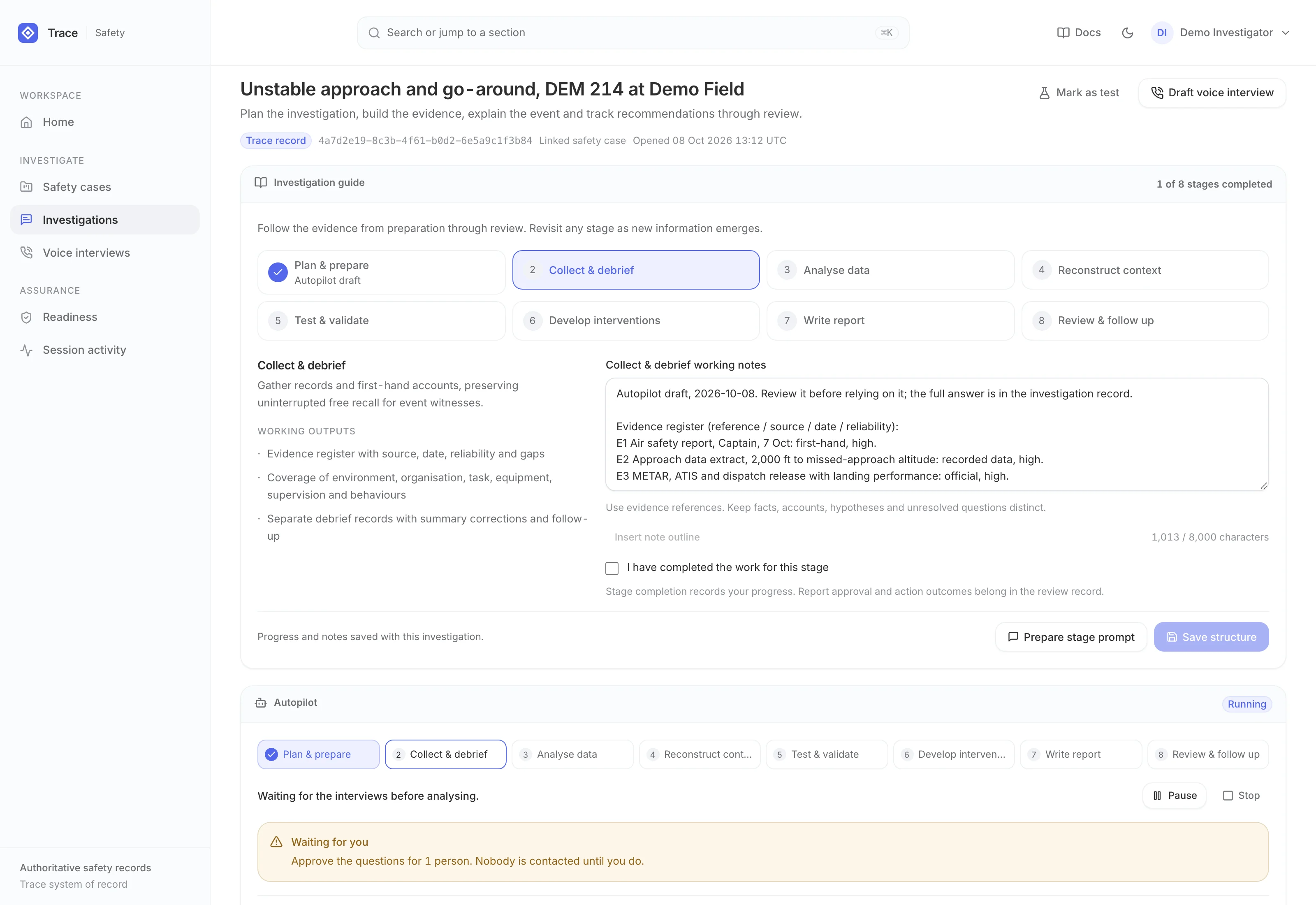
An eight-stage investigation method, an autopilot that drafts each stage, AI phone interviews with Tracy, and cited HFACS and TEM analysis of the accounts.
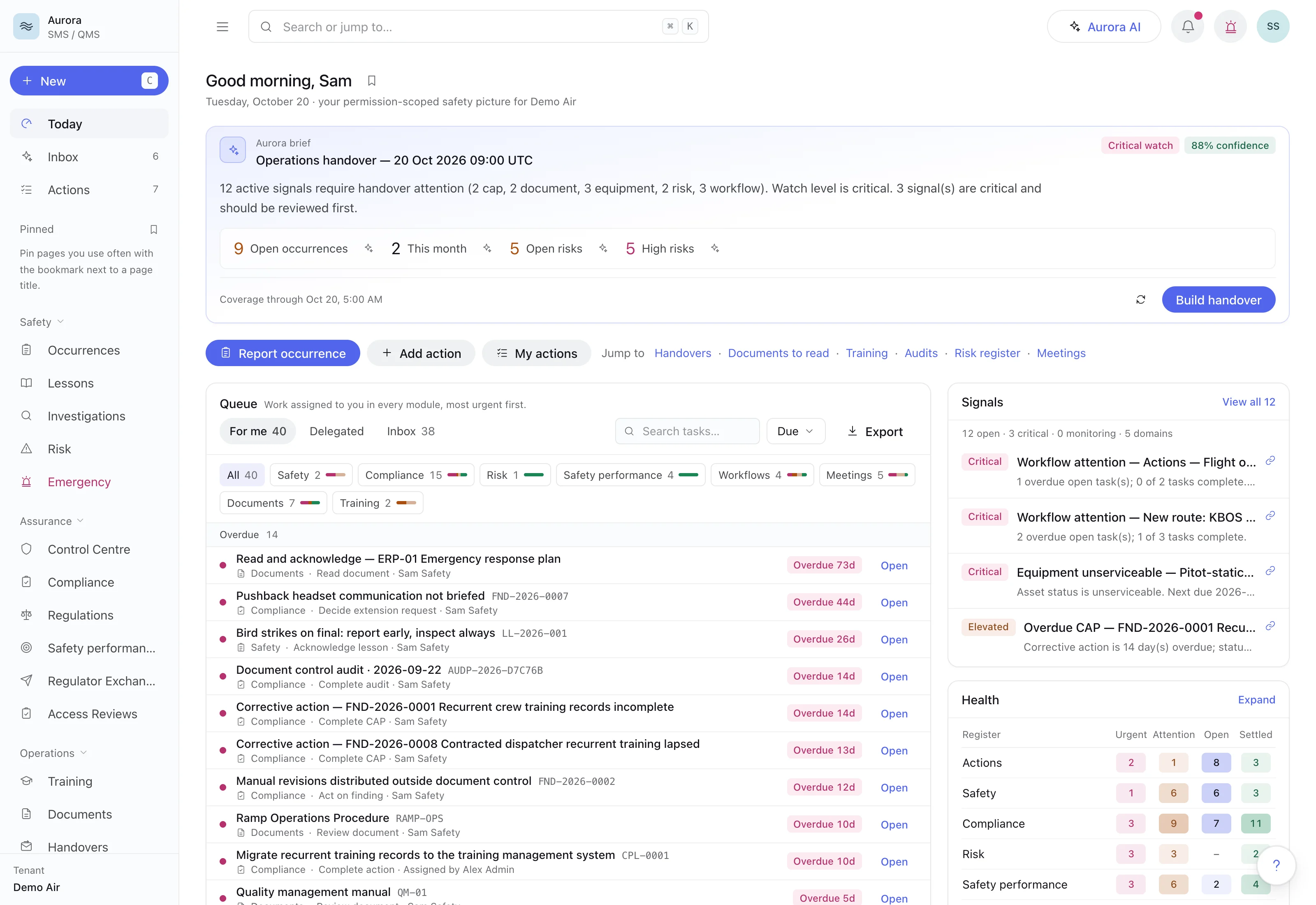
A standalone SMS and QMS with confidential reporting, bowtie risk on live barrier checks, gated closure and dossiers a regulator can verify.
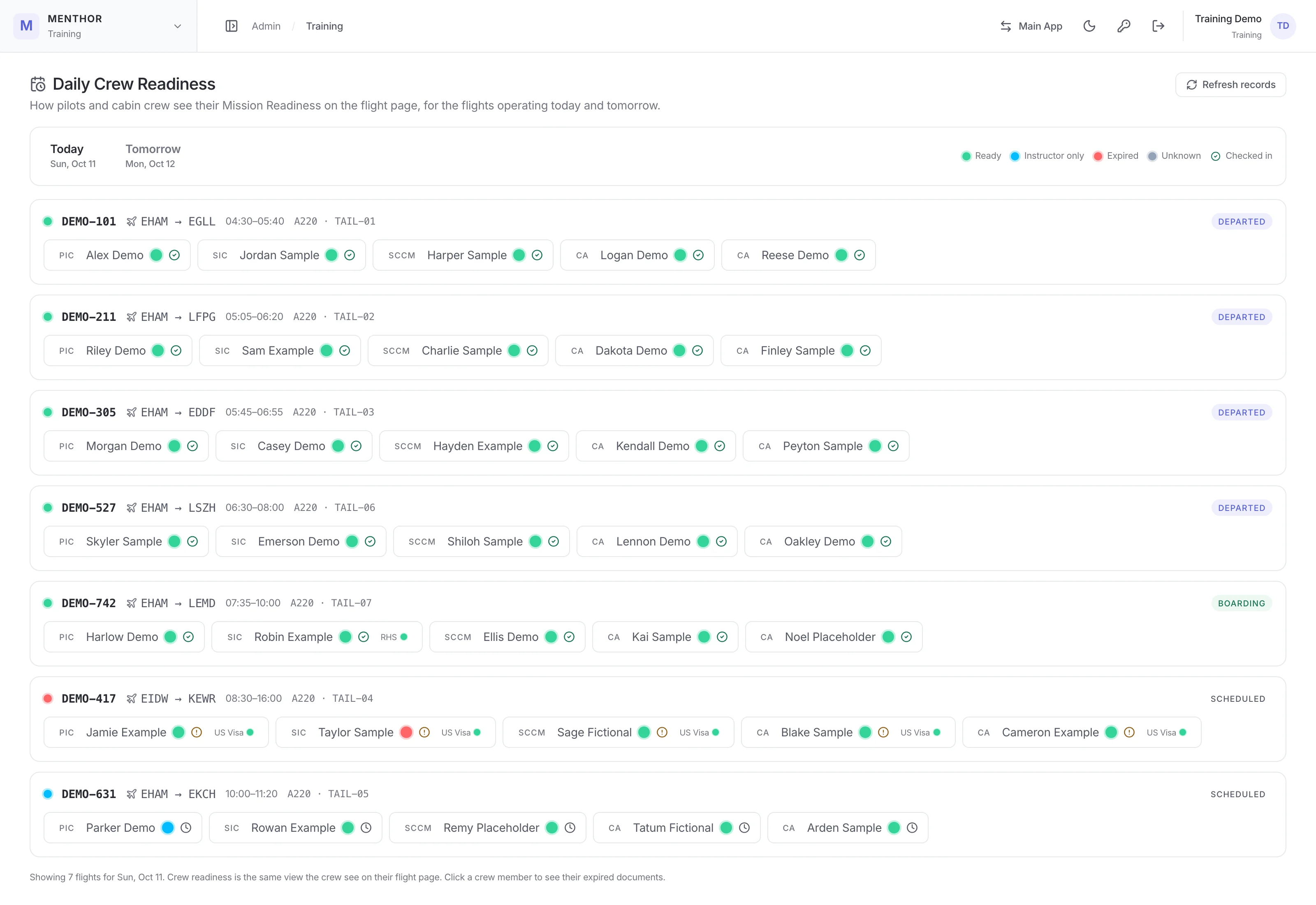
Pre-flight checks of every rostered crew member, check-in closed until the whole crew is compliant, and Auto Training from recurring FDM events with the pilot confidential from the training team.
No. AURORA Ai manages safety and quality work as a standalone product. Other FlightAtom products address their own workflows and do not require AURORA Ai as a starting point.
No. The loop describes how teams can connect their work. Product capabilities, ownership, data exchange, and review points need to be established for the implementation.
Yes. Begin with the work you want to improve, choose the relevant product, and define any handoffs your team needs.
A focused walkthrough, with the people and decisions that matter to your team.