Capabilities
From the first word to the follow-up.
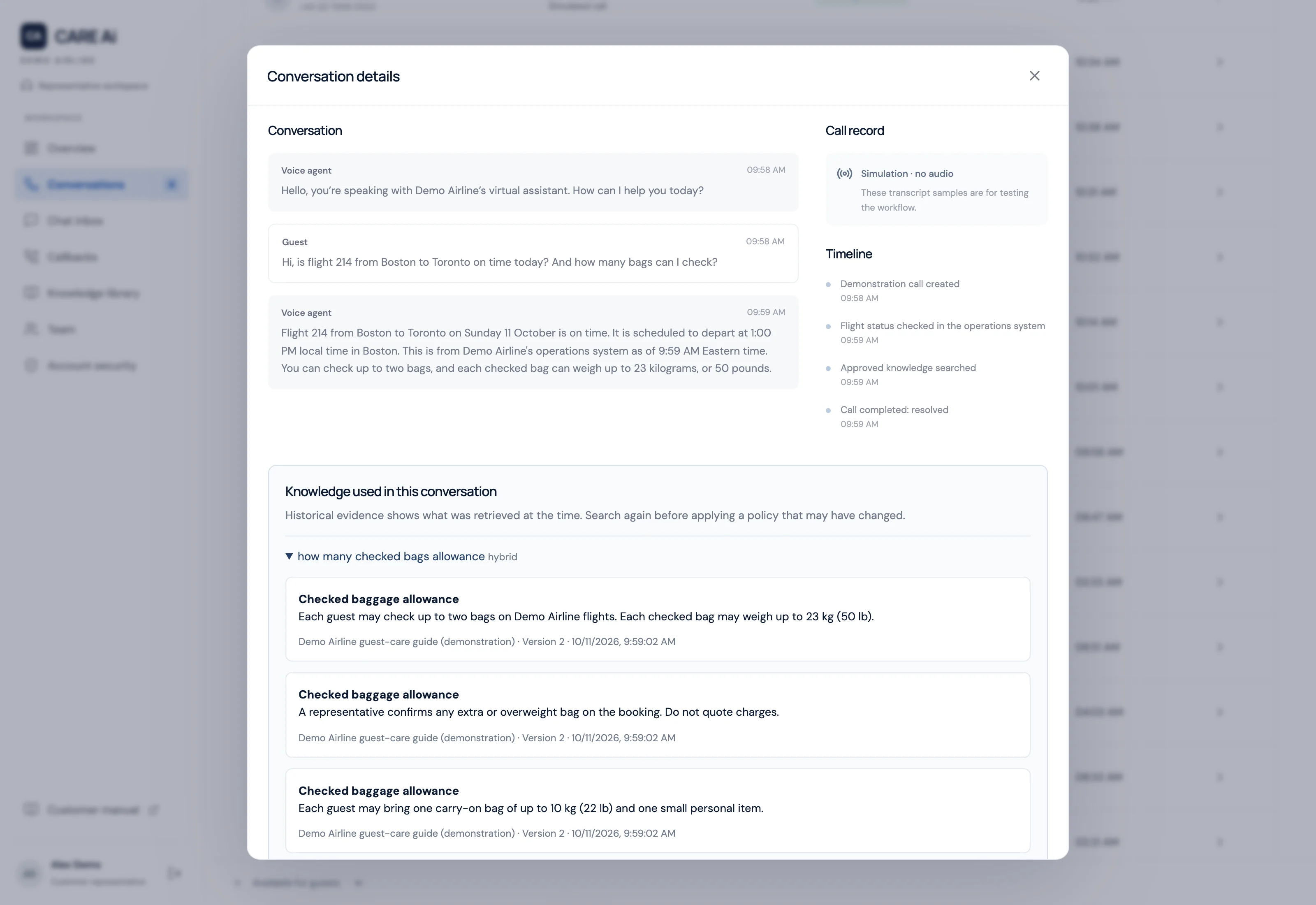
Every call keeps its transcript, the guidance it looked up, why it was handed over, and the representative's notes in one record.
Answer policy questions from approved guidance
Before answering a policy question, the assistant searches the airline's approved, customer-visible guidance and covers the pause with the holding line "Let me check that for you." Callers speak with a realtime AI voice they can interrupt at any point, and administrators choose its voice, greeting, pronunciations, and speaking style. The default greeting introduces a virtual assistant, and the assistant is instructed to say it is an AI, and offer a person, whenever a caller asks whether it is human.
Hand over when the caller asks, with the reason recorded
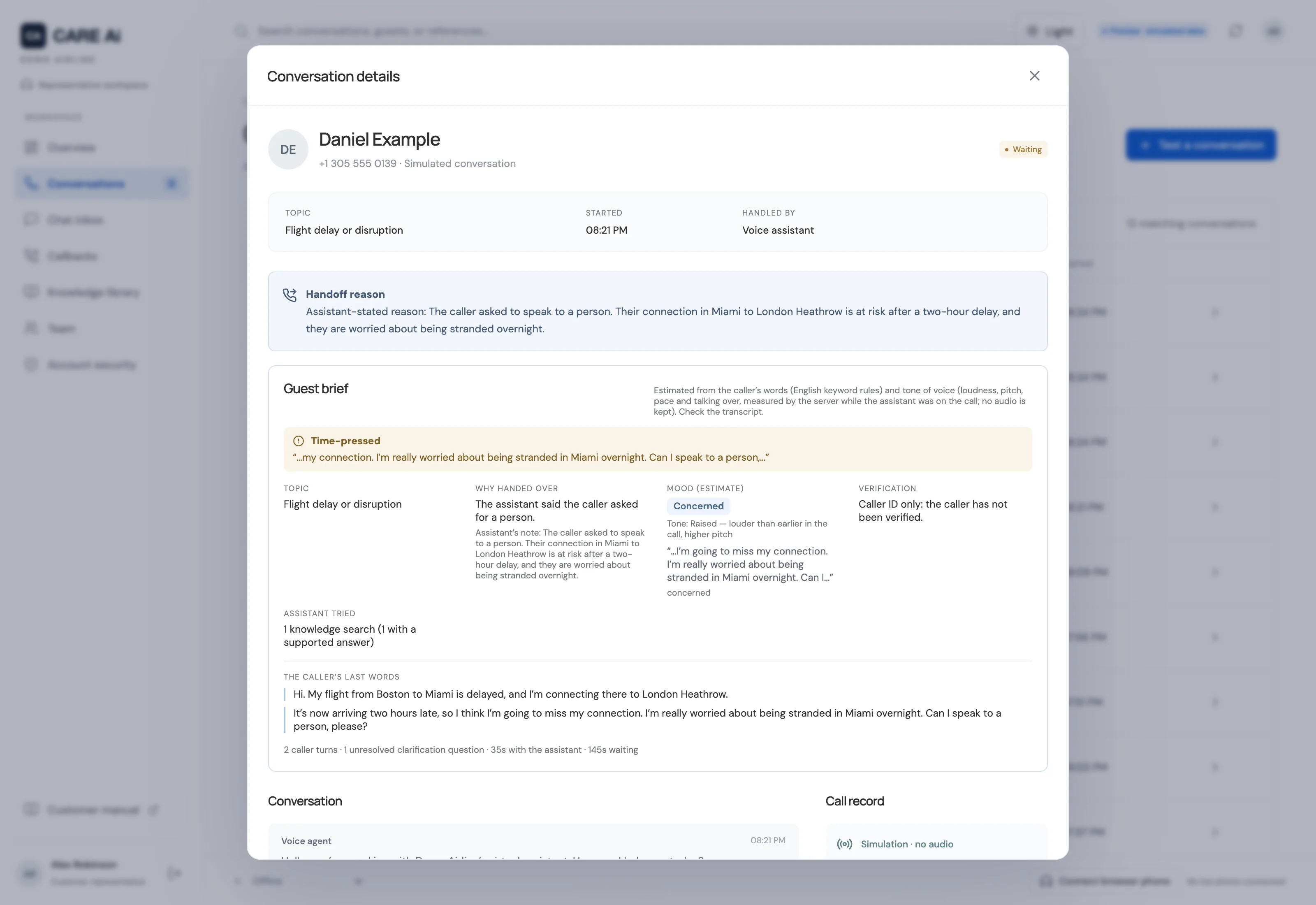
A caller reaches a representative by asking in their own words, pressing 0, or accepting an offer. When the assistant cannot help, for example after a withheld answer, a lookup limit, a question about the caller's own booking or a decision guide that ends with a person, it offers a representative rather than transferring on its own. Words of distress or urgency and changes of topic are recorded for the representative's brief, and an emergency cue is answered once with the advice to hang up and call the local emergency number. A dropped voice-model connection is reopened with the conversation so far, a call that cannot be restored still goes to a person, and every handoff records its reason.
Take over with a guest brief
Representatives take calls in a browser workspace with a built-in phone. Before picking up, they see a brief built by fixed rules: the topic, why the caller was handed over, possible-emergency and time-pressure flags, a mood estimate from the caller's words and tone of voice, with the reasons shown, verification state, what the assistant tried, and the caller's last lines. The caller stays on the same call, and the assistant leaves once the representative is connected.
Publish policies under independent review
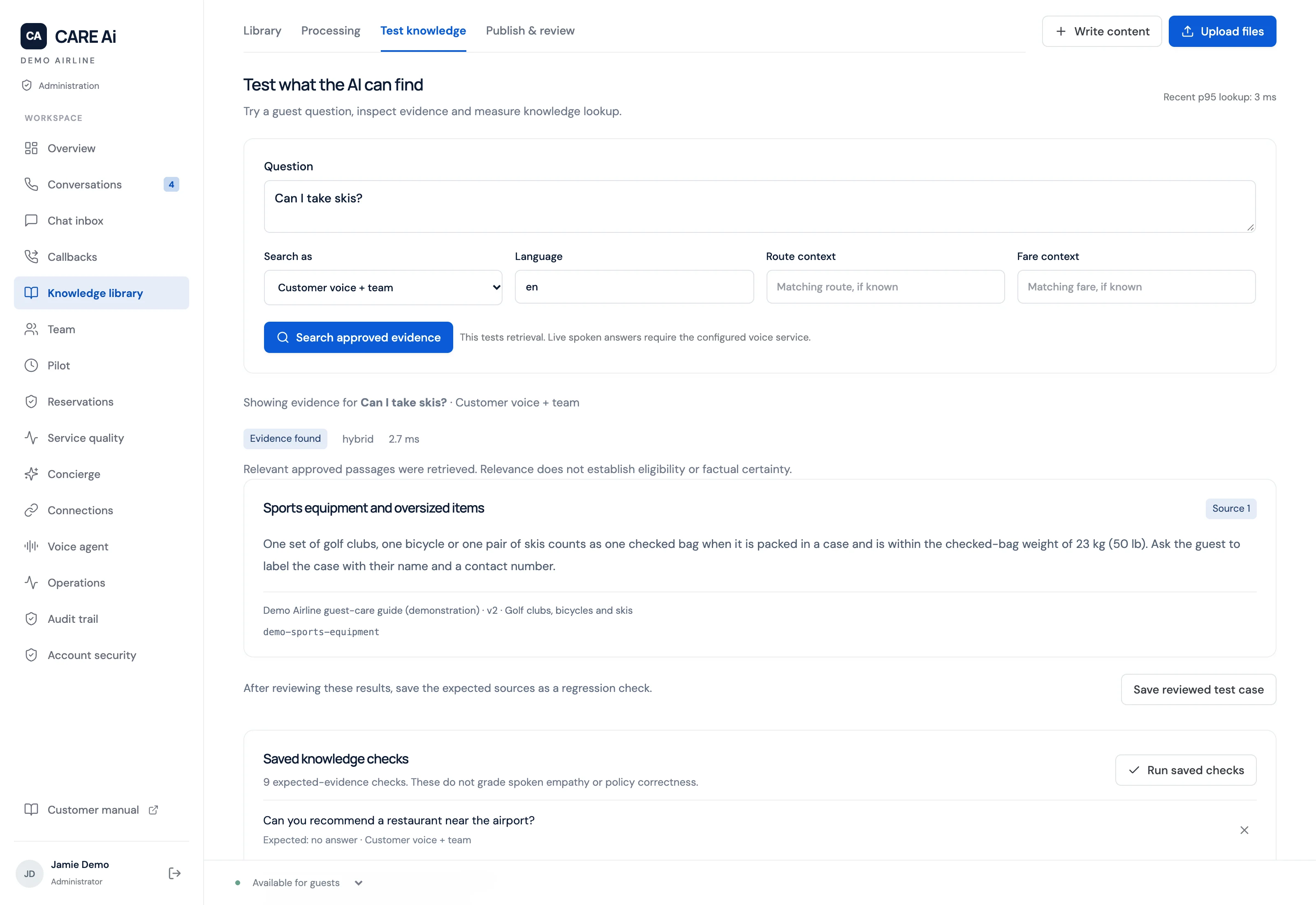
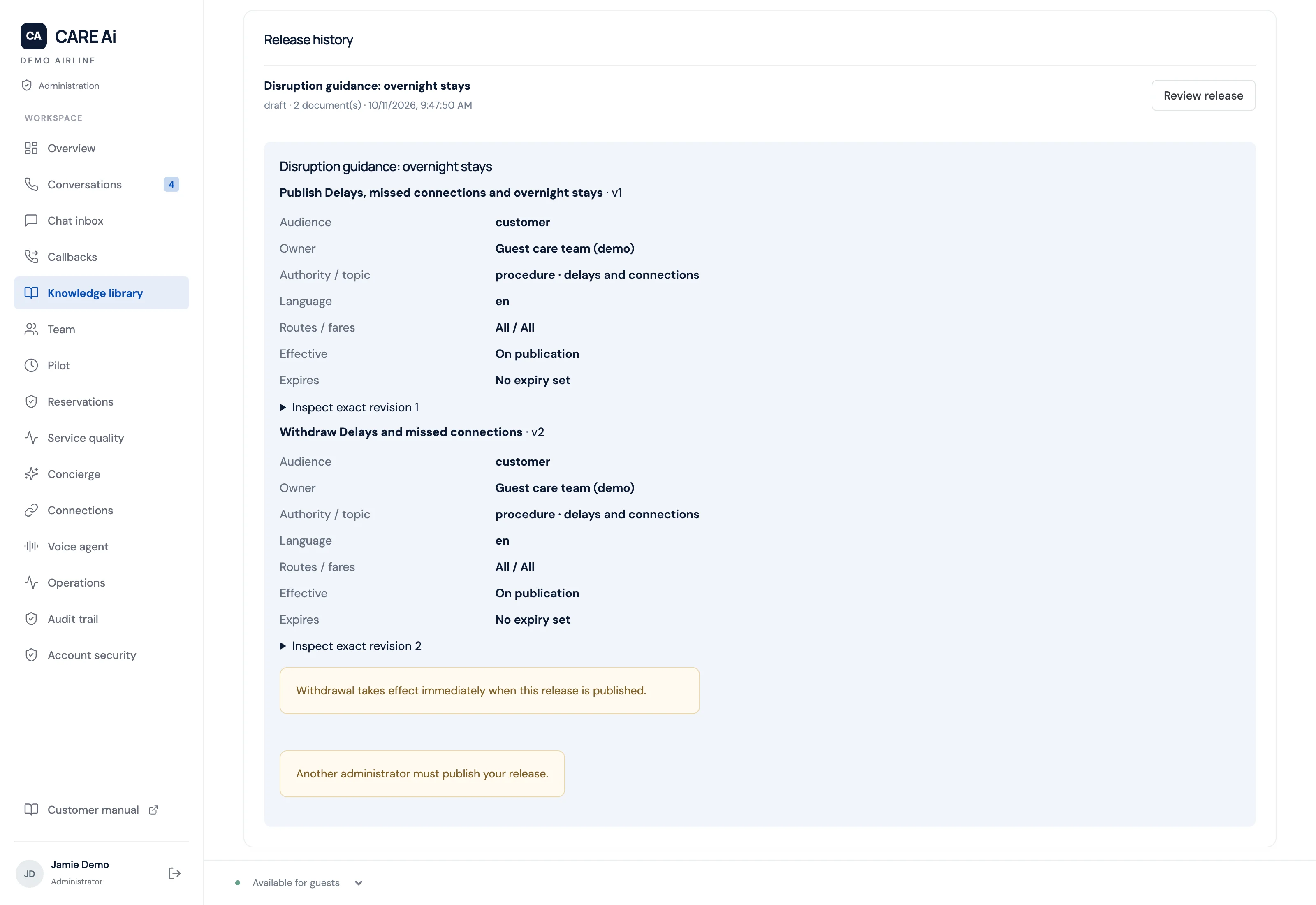
Customer policies need a publisher other than their author, related changes of up to 50 revisions are released or withdrawn together by a second administrator, and two different approved policies on the same topic and scope cannot both be published. Up to 100 saved test questions rerun as a retrieval benchmark that reports passes, failures, and search time. Policies import from PDF, Word, text, CSV, and JSON files, with English OCR for scanned pages.
Test the assistant with real phone calls
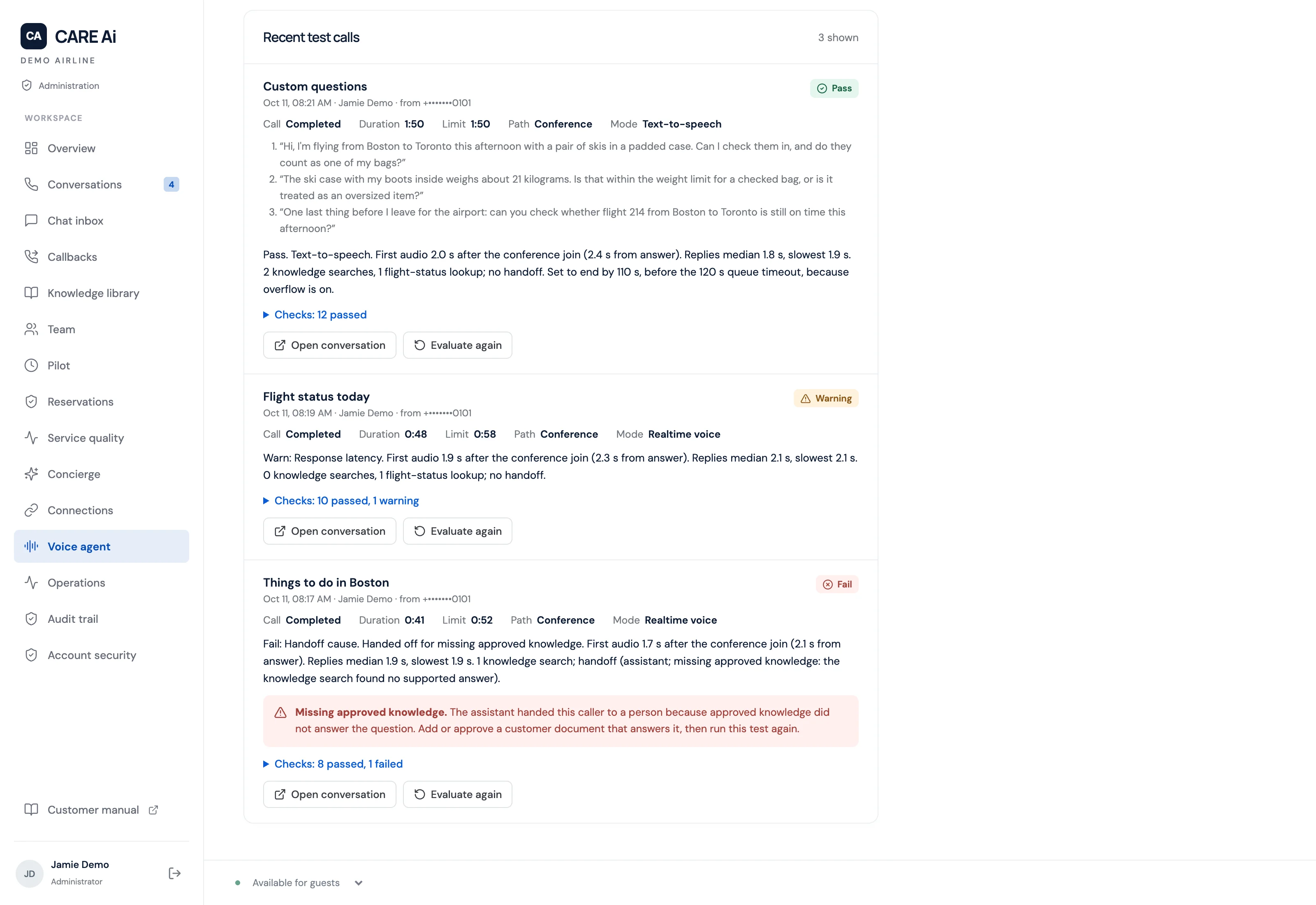
Administrators place scripted test calls to the support line over the real telephone network, and each call is graded from its record for the greeting, response time (a pass needs a median reply within two seconds and none slower than four seconds), the handoff reason, and word recognition. Scripts include a request for a person, a caller who asks whether it is human, a spelled booking reference, a frustrated caller, and baggage questions in British, Indian, and Australian English voices, and administrators can add up to three lines of their own. A suite can run every night.
Close knowledge gaps and measure service quality
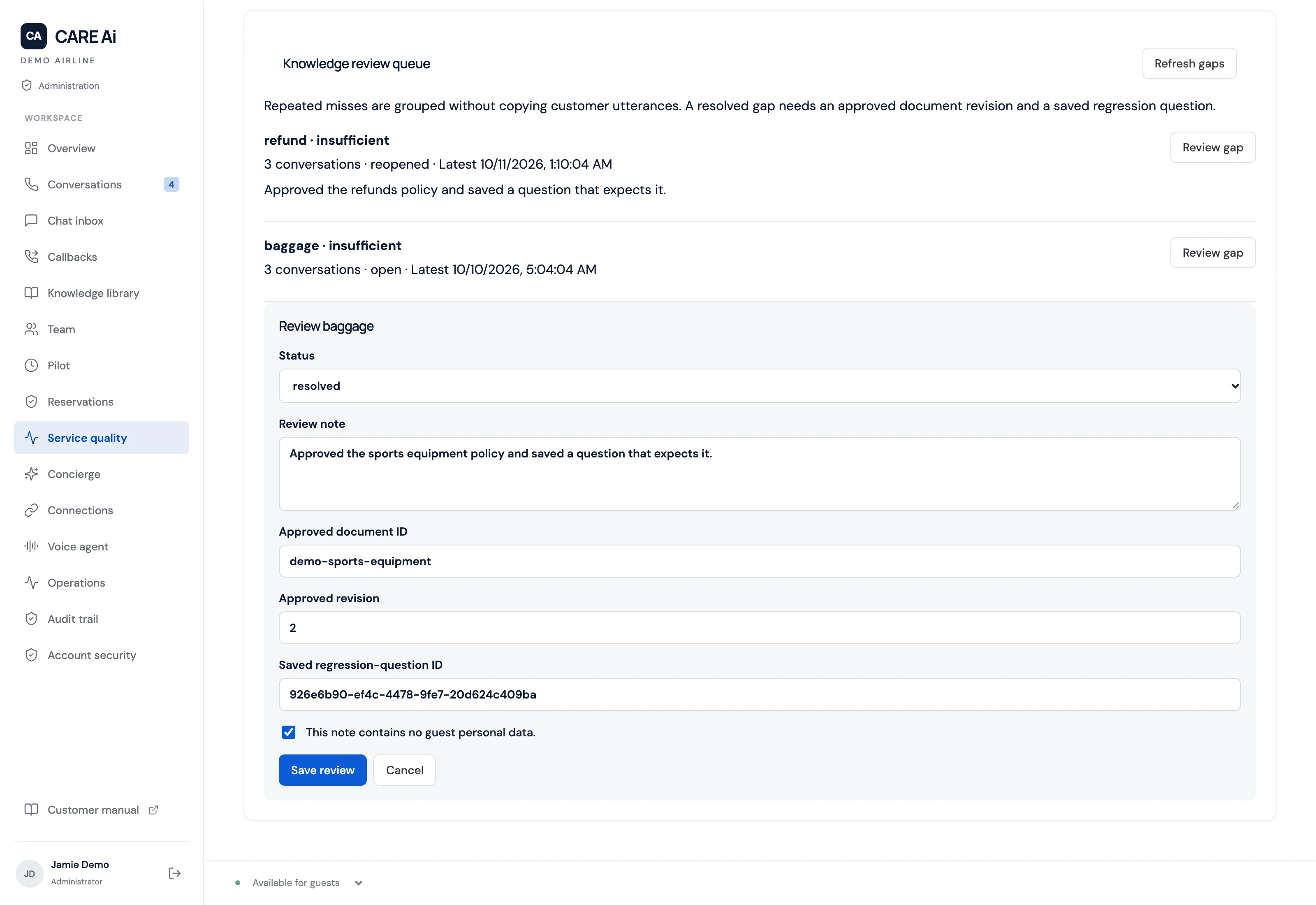
Missing or conflicting knowledge and withheld answers become a gap queue, grouped by contact reason. A gap closes only when it is linked to an approved document revision and a saved test question that expects that document, and it reopens if the failure returns. Reports show contact reasons, daily trends, why conversations were handed over, and human-reviewed answer accuracy with its sample size, without reading transcripts or phone numbers.
Answer flight-status questions from airline systems
A read-only connection to the airline's Radixx reservation system or myAirOps lets the assistant describe up to three matching flights in sentences the server writes: whether each is on time, delayed, departed, landed or cancelled, with its scheduled and expected or recorded times. When a status cannot be confirmed, the caller is offered a representative, and passenger and crew fields are never read.
Run the line around your staffed operation
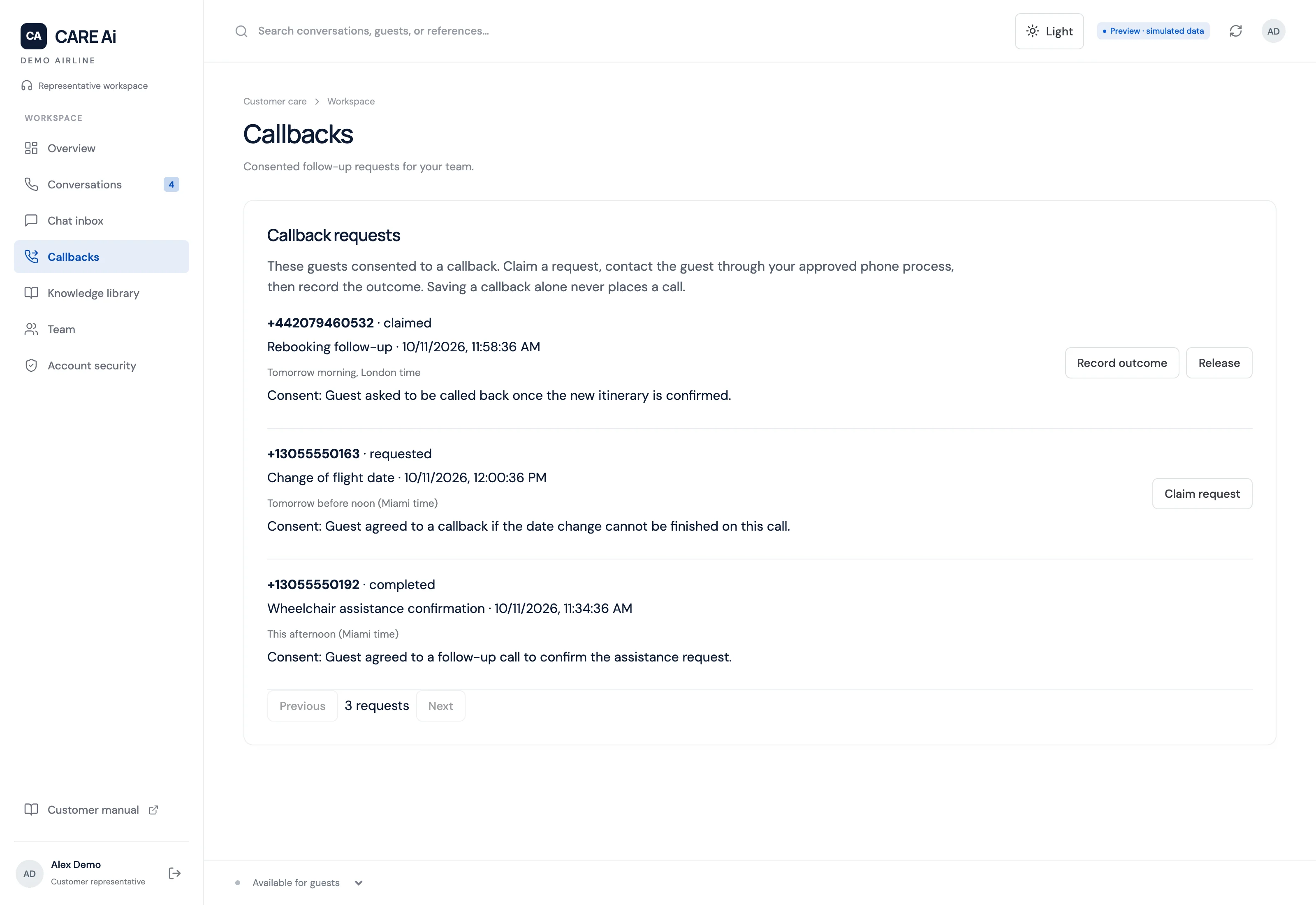
Set staffed hours, closed dates, an active-call ceiling, and an overflow number. A controlled pilot limits AI answering to approved hours and a daily call allowance, sends other calls to the staffed fallback, and cannot start until a named owner records a reference for each acceptance check, from telephony and knowledge to privacy, load, and fallback. Callback requests are saved only with the caller's explicit permission and become owned work items with recorded outcomes.
Protect caller records and staff access
Staff sign in with their Microsoft work account through single sign-on, and Viewer, Editor, and Admin roles decide what each person can see and change. Voice diagnostics keep codes and timings with masked phone numbers, never what was said, and a recorded call cannot start until a recording notice is configured, which then plays before the caller reaches the assistant. Backups and recording archives are encrypted, and deletion waits for an administrator to preview and confirm the retention policy, with legal holds for calls, documents, and backups.