Capabilities
From an approved manual to an answer you can check.
Each capability keeps an answer tied to its source, and the source under the operator's control.
Cited, then checked
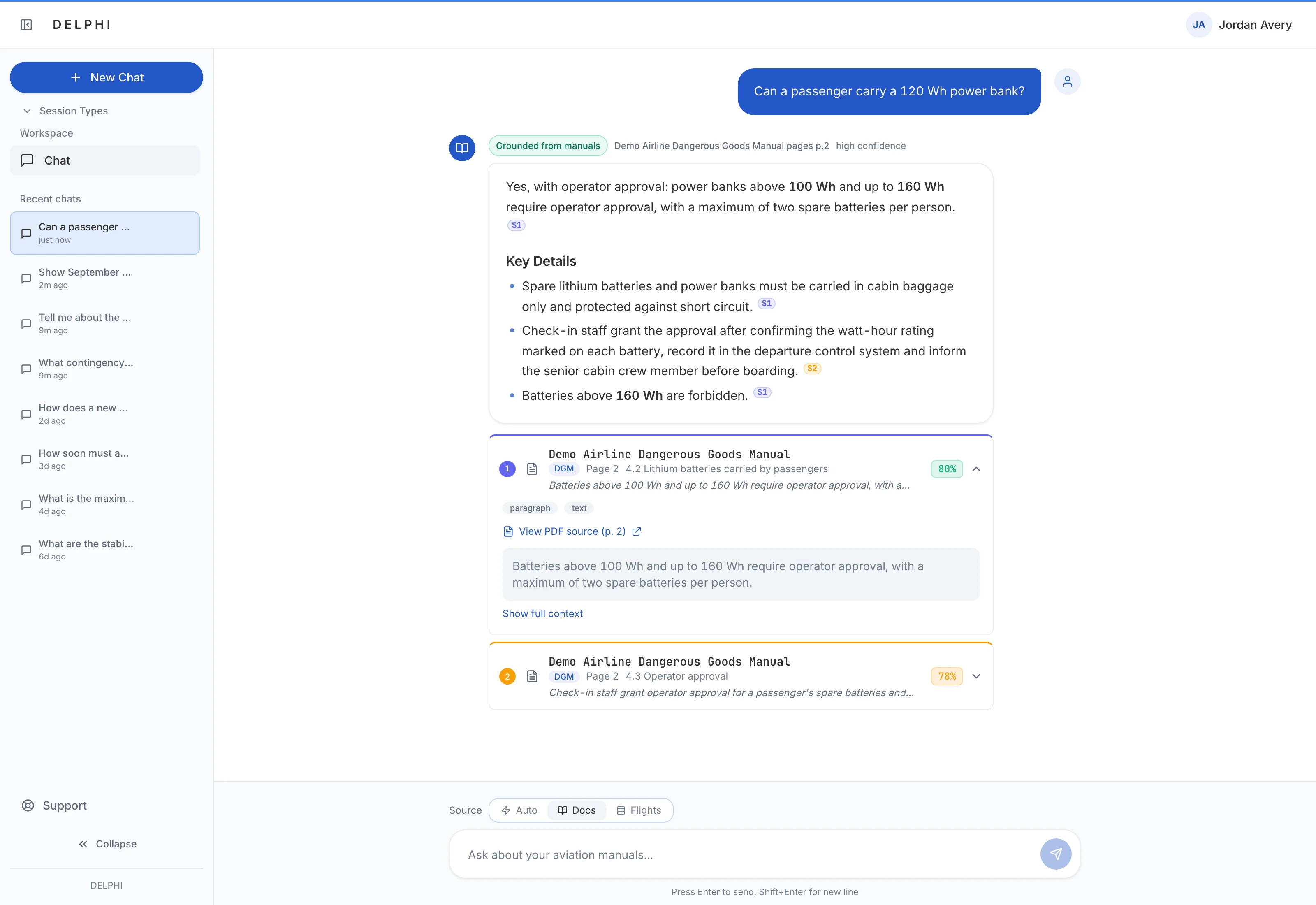
A manual answer is labelled Grounded from manuals only when every substantive sentence is cited and an automated check confirms the cited passage supports it; otherwise it is marked as a partial answer to verify against the sources, or as one DELPHI Ai could not verify. Each [S#] citation shows the document, section and page, flags passages taken from tables or figures, and puts the passage and the original file a click away.
Declines instead of guessing
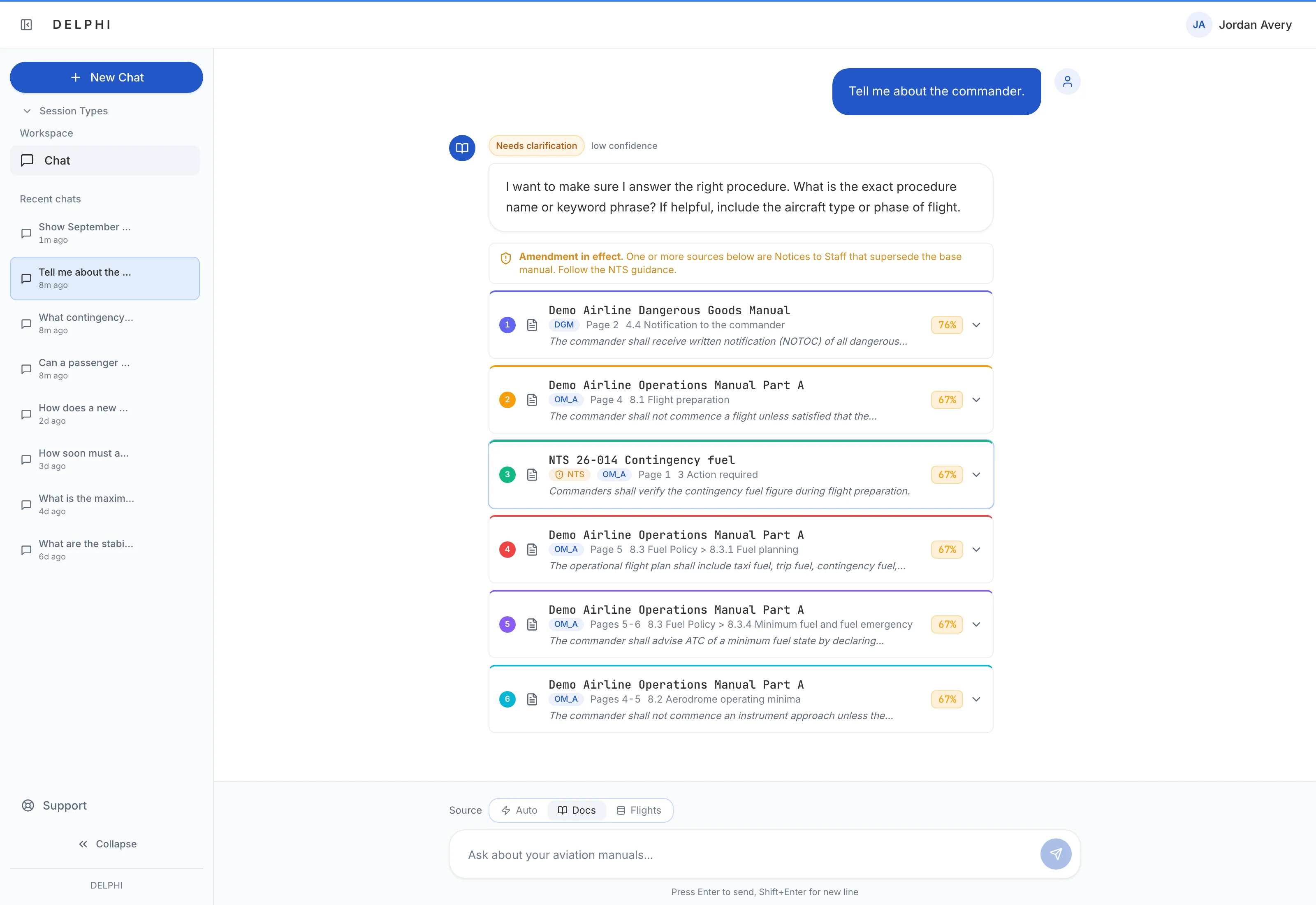
When the evidence is weak, DELPHI Ai writes no answer: it shows the passages it found and asks for the exact procedure name or keyword, suggesting the aircraft type or phase of flight if relevant. It also holds back when it cannot confirm a procedure is the current version, and says when a search service is down instead of reporting that nothing was found. Administrators can make cited passages without generated text the default.
Only published revisions are searchable
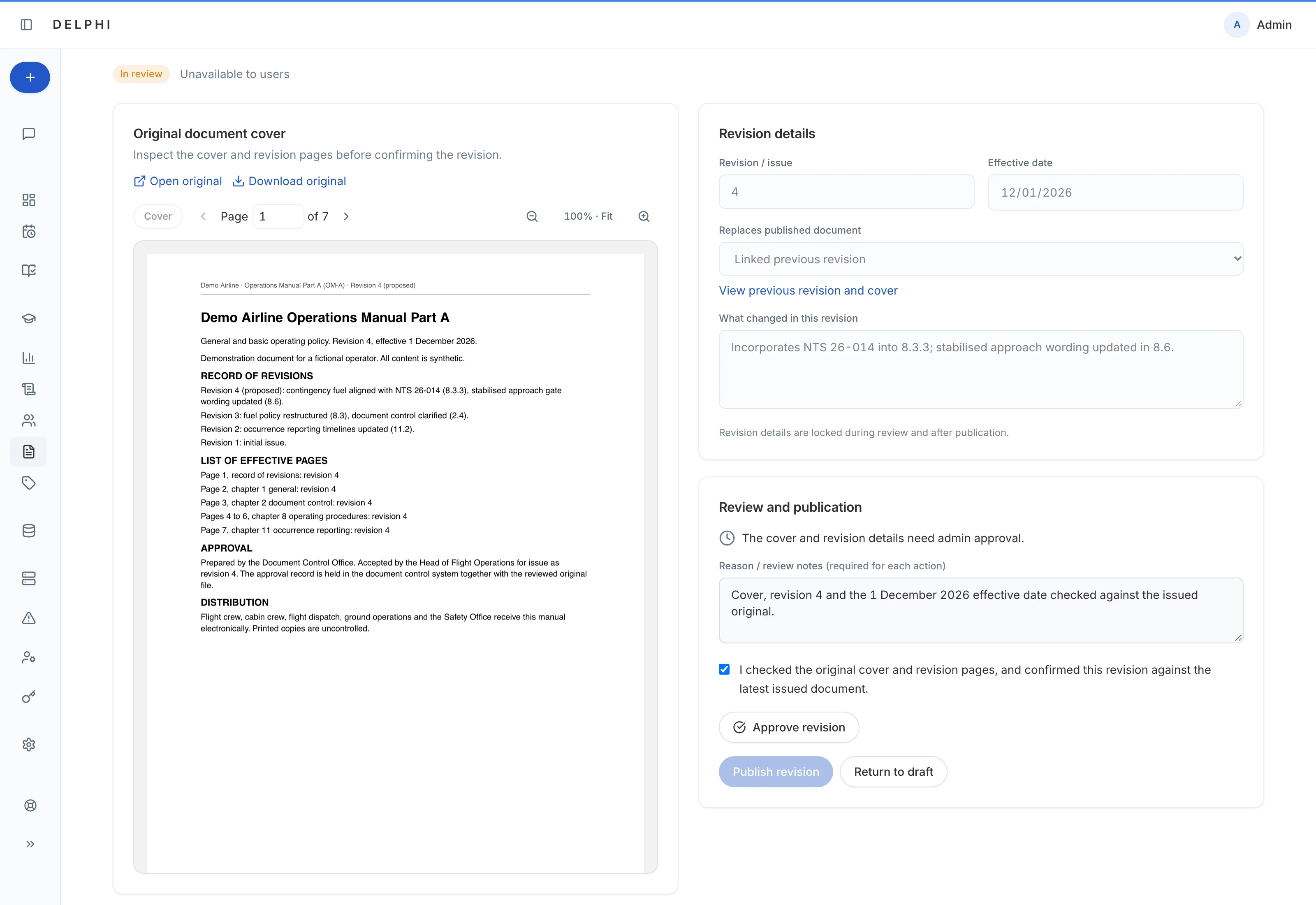
Uploads enter as drafts. A revision becomes searchable only after an administrator reviews the exact original file, confirms its revision number and effective date, and publishes it on or after that date; approval is tied to that file, so a changed original has to be approved again. A replacement marks the earlier revision superseded, and every step is recorded with a reason.
Notices to Staff take precedence
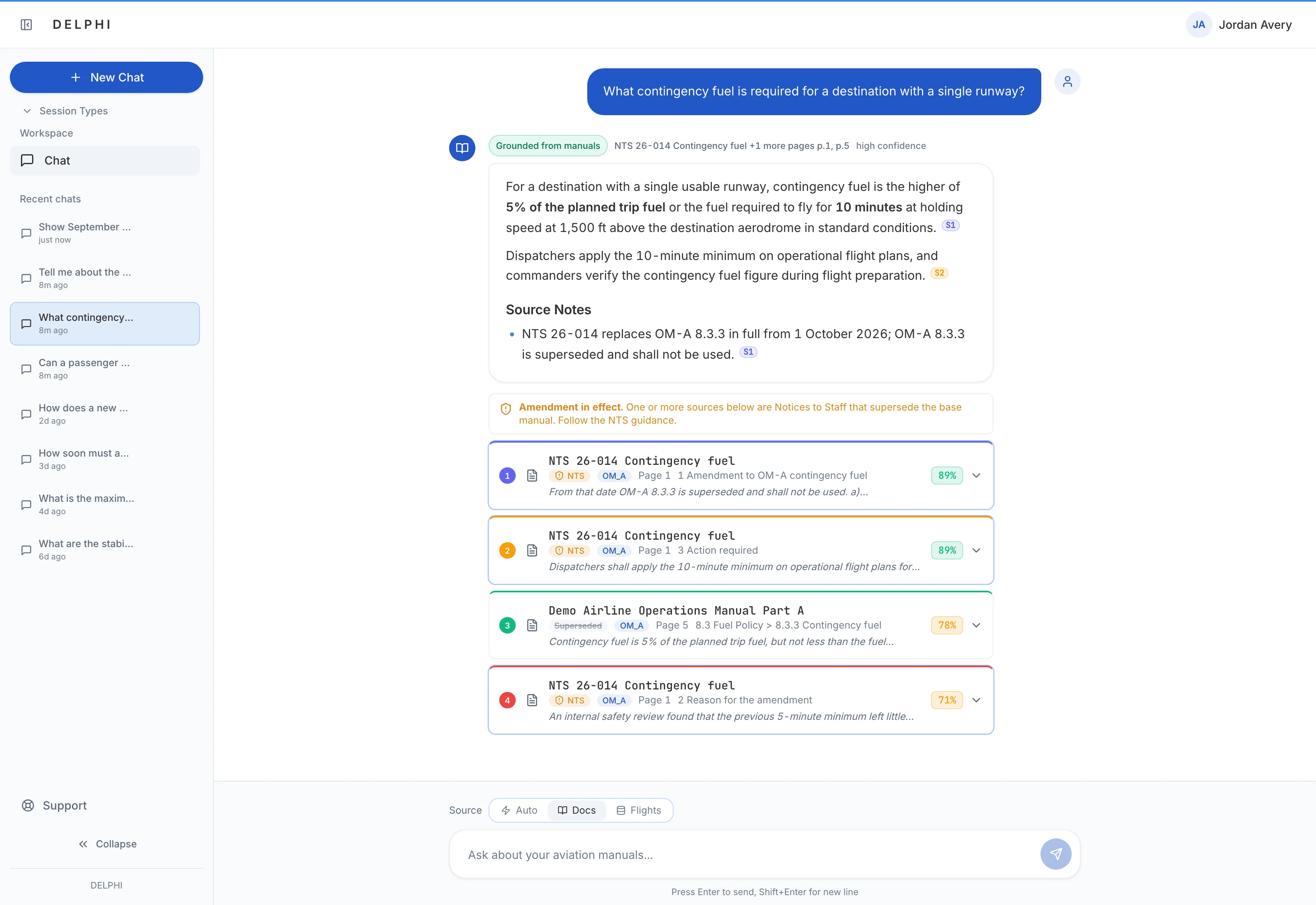
For procedure questions, a relevant Notice to Staff is weighted above base manual text, and the answer model is instructed that a notice takes precedence over the procedure it amends. Its citations carry an NTS badge under an Amendment in effect notice. When an amendment is linked to the procedure it replaces, the older passage is marked superseded but stays visible, so readers can see both.
Find gaps in the manuals and in training
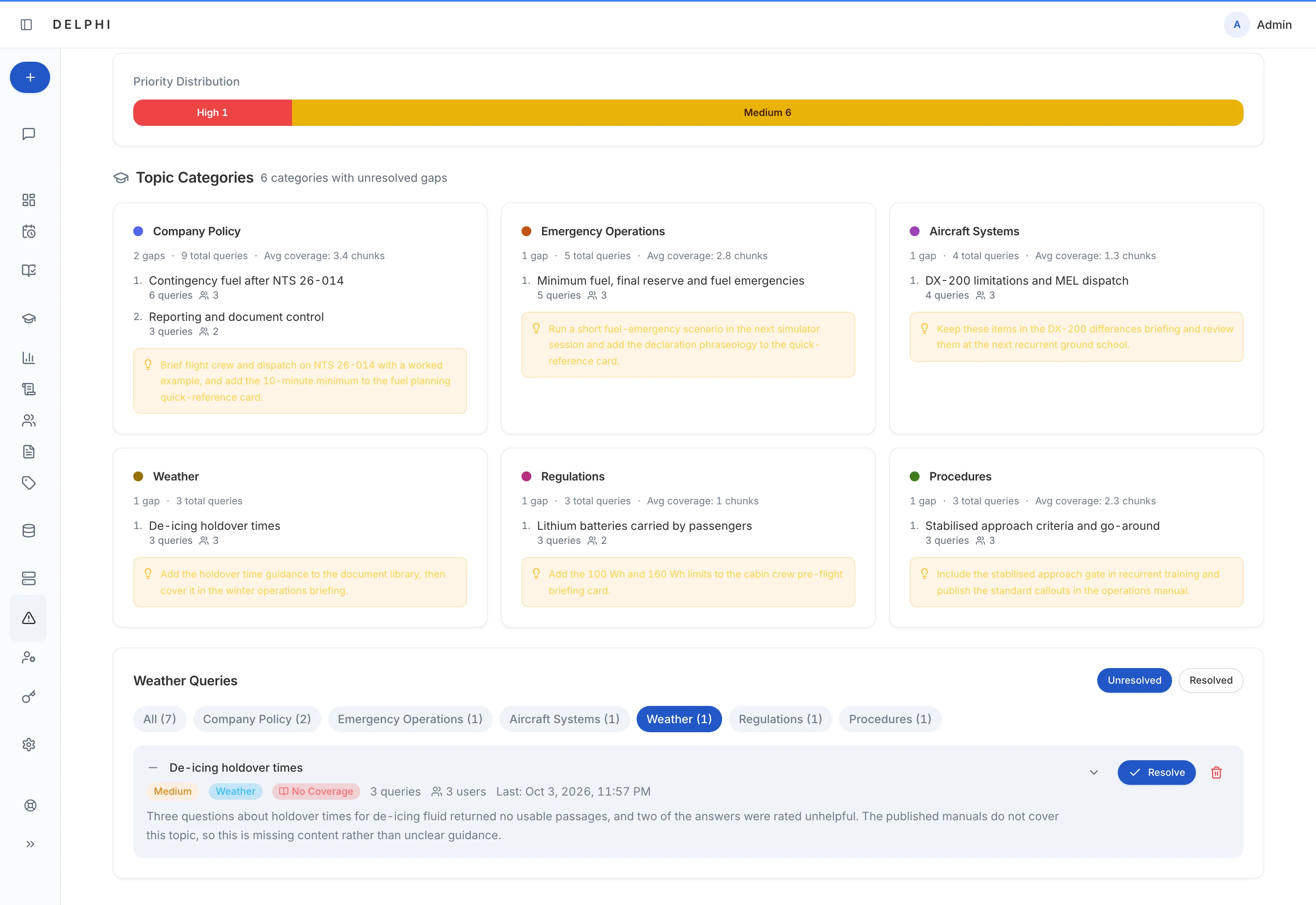
Query Insights uses an AI model to group the questions people ask into training topics with a suggested action for each, weighted toward low-confidence answers, retries and negative feedback, and shows whether searches found good, weak or no manual coverage for each topic. A Training Analysis dashboard counts questions by subject, manual and week, and shows the cited-answer rate and which subjects drew unanswered or weak answers. Administrators can also schedule cited email reports and Daily Knowledge briefings, which rotate sources and avoid repeating recent topics.
Access that follows aviation roles
Cabin, maintenance and dispatch staff search a default set of document types for their role, such as OM-A and DGM for cabin, AMM for maintenance and MEL for maintenance and dispatch, and occurrence reports stay with safety and administrator roles. Permissions apply before retrieval, so a passage a user may not see never reaches that user's answers. Administrators refine access by document, collection and profile.
Manuals and operational data from one question box
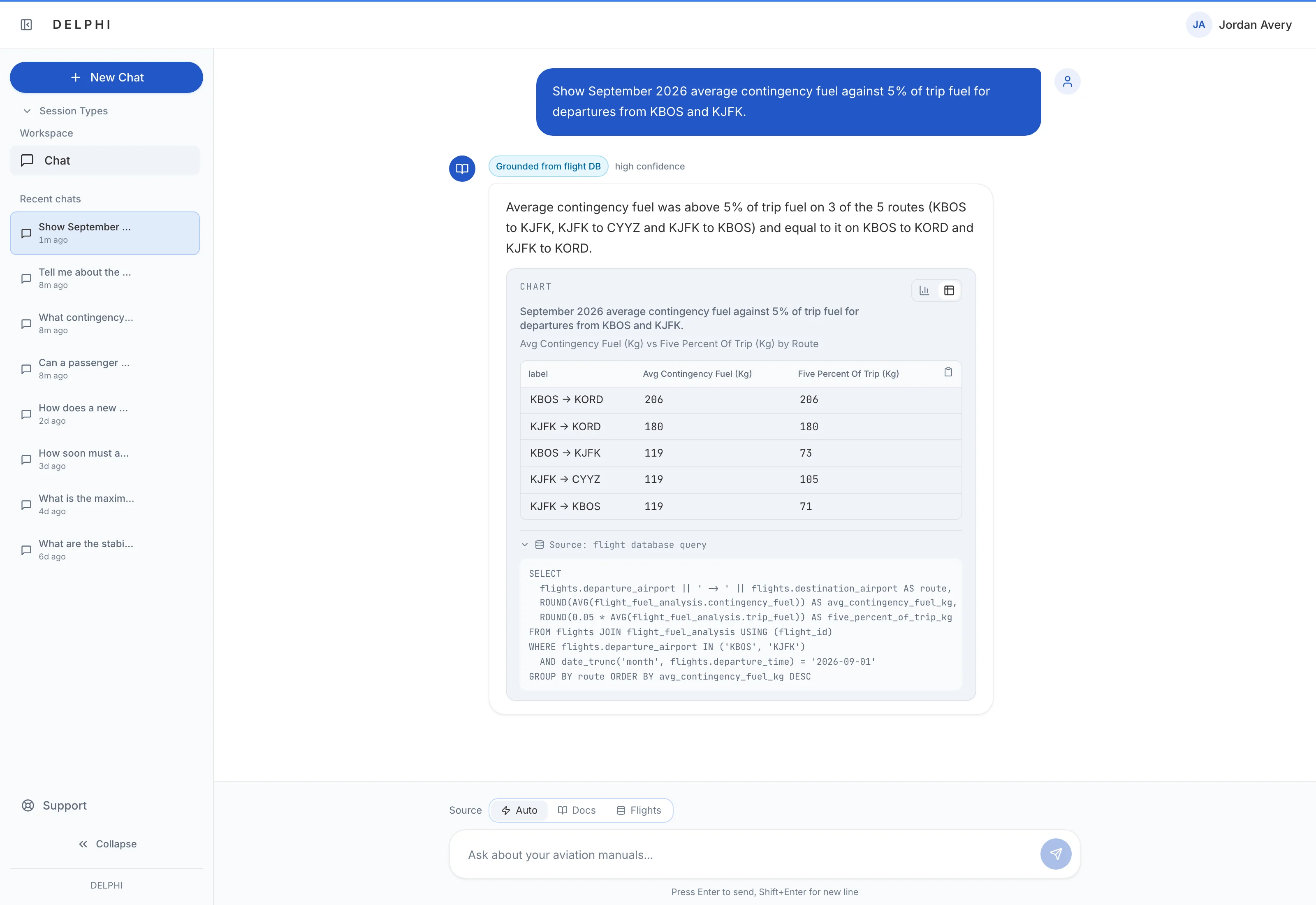
Authorized analysts can query the manuals or connected flight, training and hiring databases from the same box, or combine manual guidance with flight data in one answer. DELPHI Ai routes each question to the right source, answers data questions with read-only queries, and applies the same citation check to combined answers. Flight-data results can be charted, switched to a table and traced to the query behind them.
ISARP mapping for IOSA preparation
Administrators check selected ISARPs against the operator's manuals in batches and export the results. An AI model classes each as documented, partially documented or not found, noting where the manuals cover it and the gaps to follow up. Standard text is kept apart from operator evidence, and any documented or partially documented result without cited operator evidence is rejected automatically, so requirement text alone never counts as evidence.
Study and training from your own manuals
Learning sessions teach from the operator's own manuals, explaining the reasoning behind procedures and naming what the material does not cover, and trainee accounts can be limited to them. Focused sessions let administrators, training staff and executives summarize, explain or compare the documents they pick. Training staff can plan from MENTHOR Ai rosters, qualifications, due dates and simulator pairings, and the training calendar changes only when a request explicitly asks.