Capabilities
Compliant crews at check-in. Confidential training from the flight data.
MENTHOR Ai works from the operator's own training records, flight schedule and approved FDM events. Auto Training connects the safety and training workspaces without showing the training team who the pilot is, and pilots have their own app, on the web and on iPhone and iPad, for their qualifications, flights with crew readiness, briefings, logbook, check-in and courses.
Crew readiness for every rostered flight
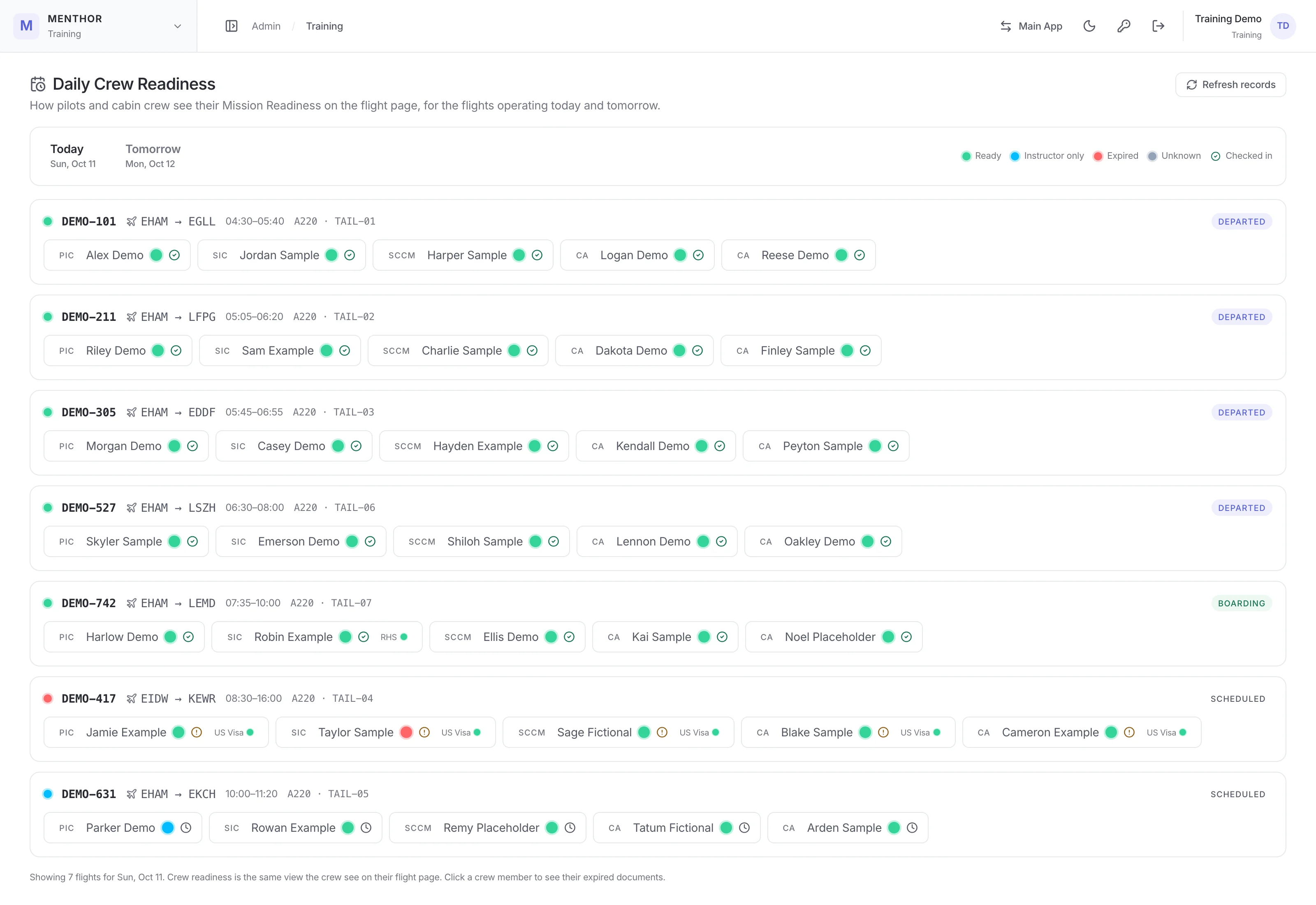
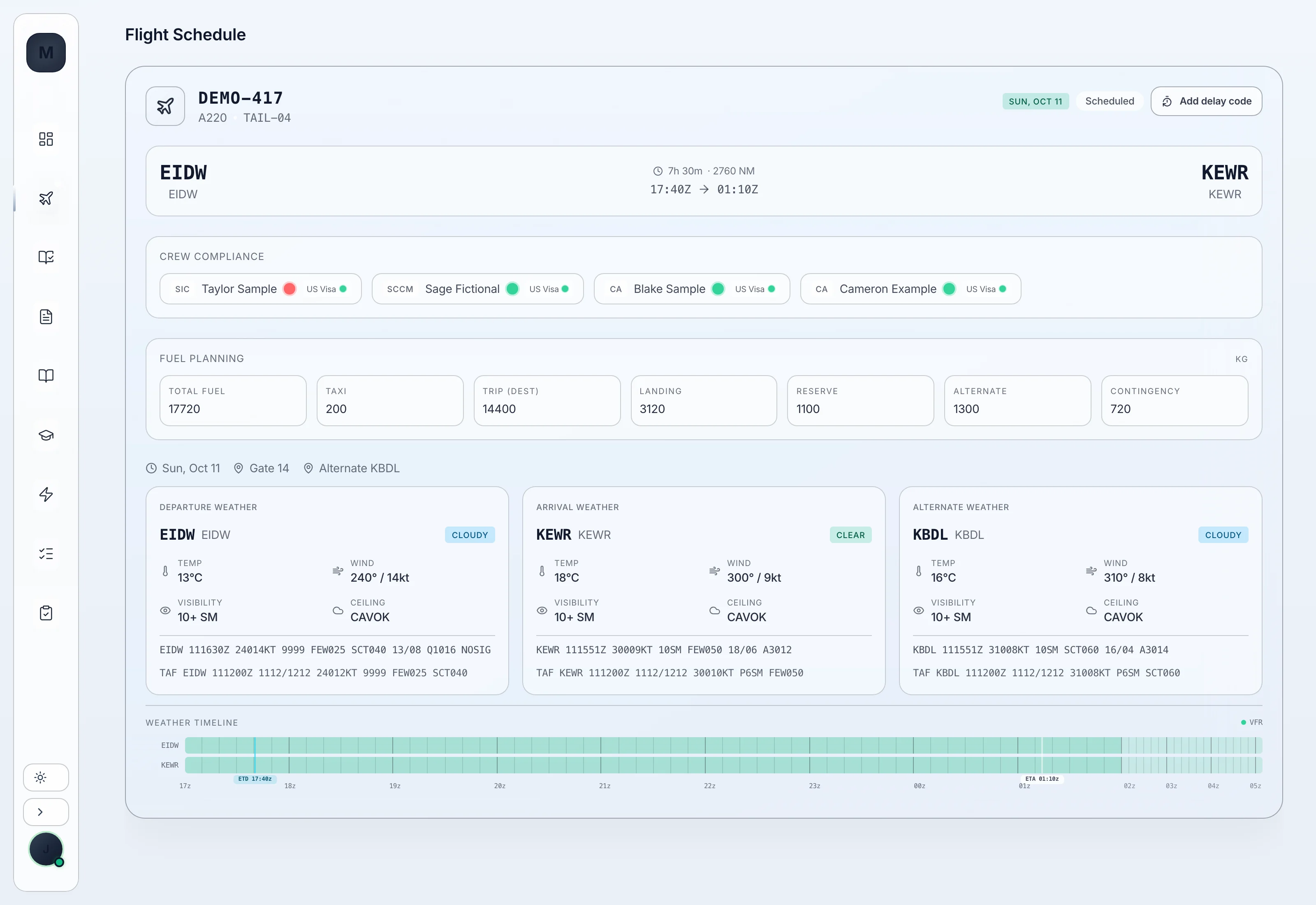
MENTHOR Ai checks each crew member's required qualifications by rank, cabin and senior cabin crew included, against the flights they are rostered on. It flags the airport endorsements a destination or its alternate needs, a visa where the destination requires one and a right-hand-seat qualification for a captain rostered in the first officer's seat, shows new pilots still completing line training as able to fly with an instructor, and puts today's and tomorrow's readiness on one board for training, flight operations, operations control and maintenance control.
Check-in closed until the whole crew is compliant
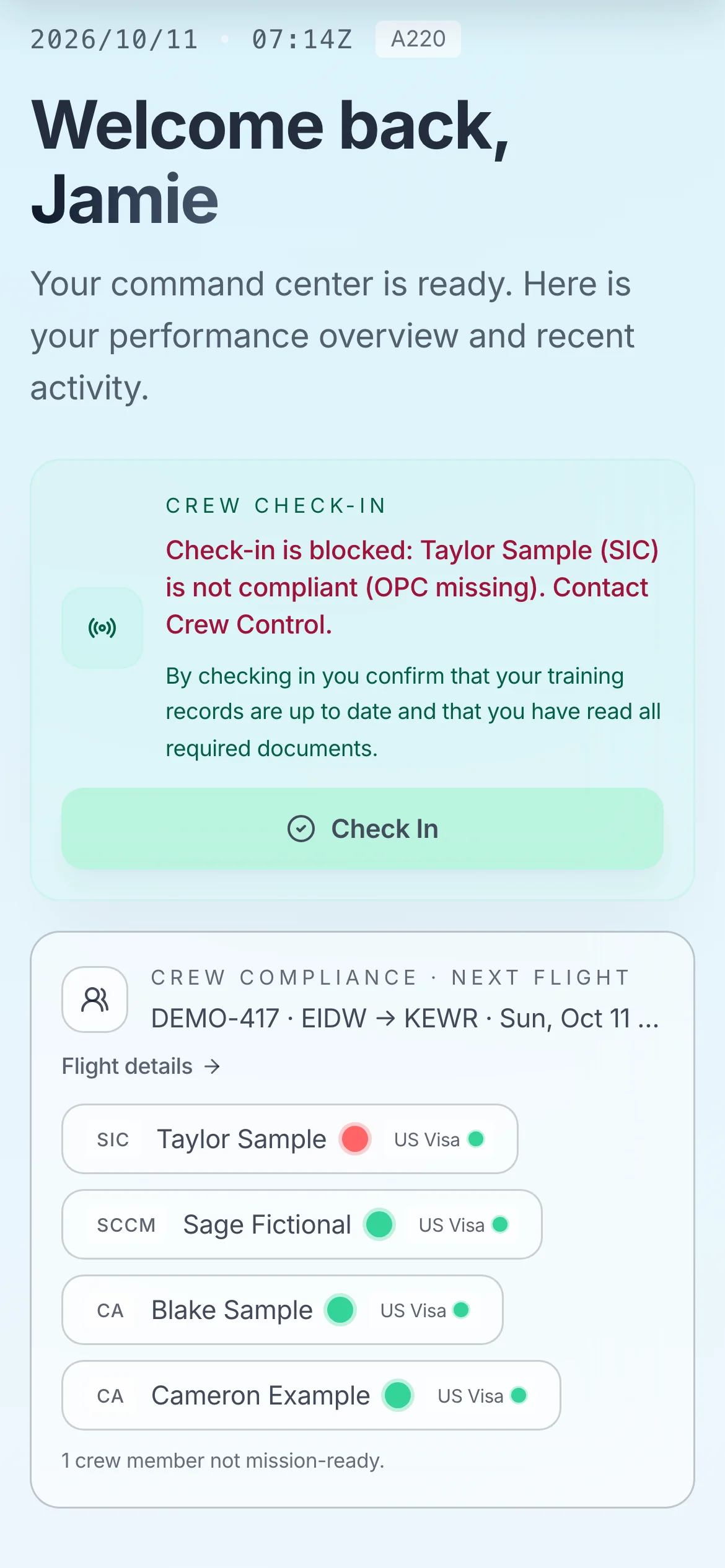
When check-in opens, two hours before a crew member's first flight of the day, MENTHOR Ai checks everyone on that flight against the same readiness rules and the flight's airport, visa and right-hand-seat requirements. If anyone is missing an item or out of date, check-in stays disabled on the web and in the iPhone and iPad app, with a message naming who and why, and check-in reminders stop. Each crew member's dashboard also shows the readiness of the rest of the crew on their next flight.
Auto Training from recurring FDM events
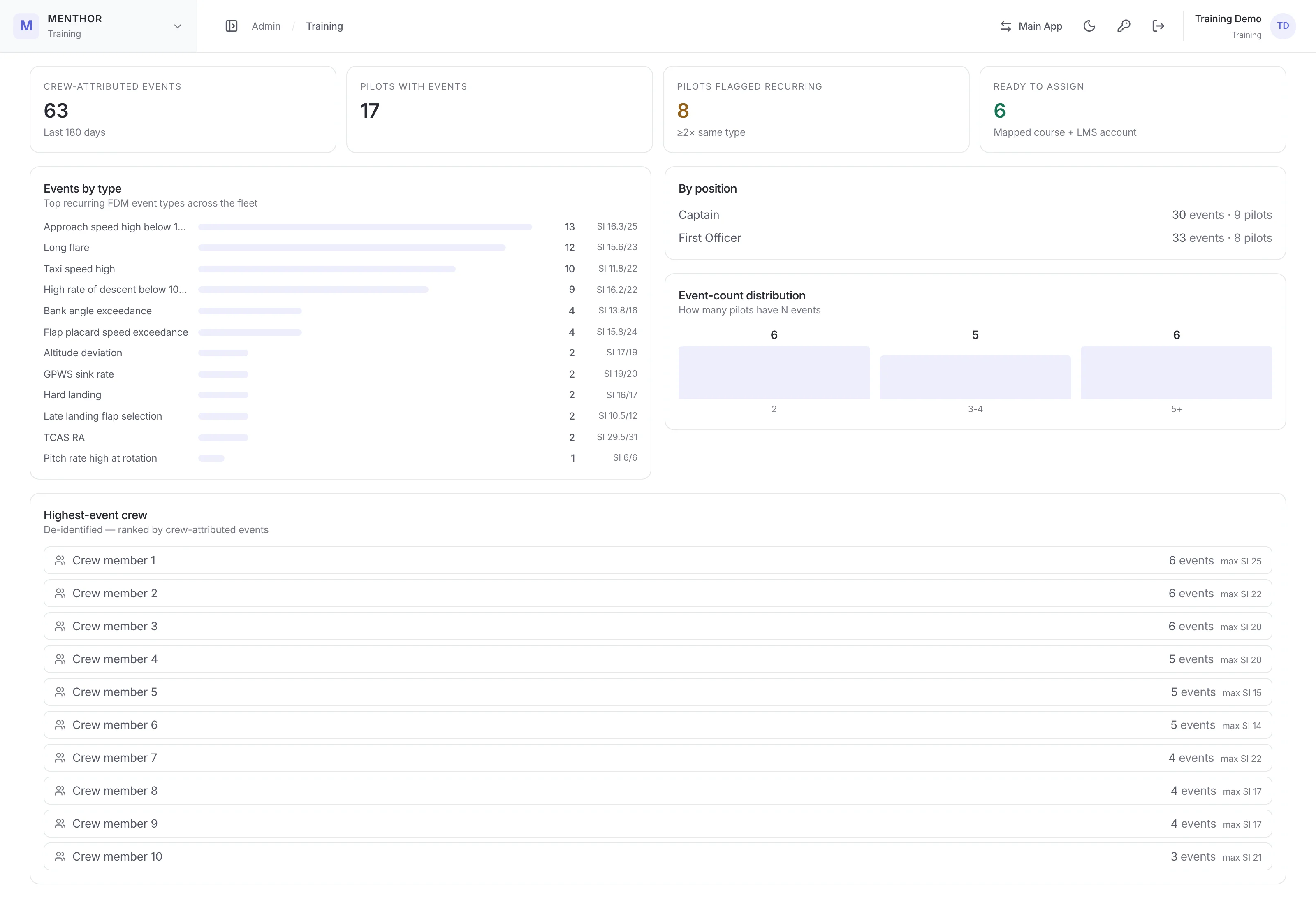
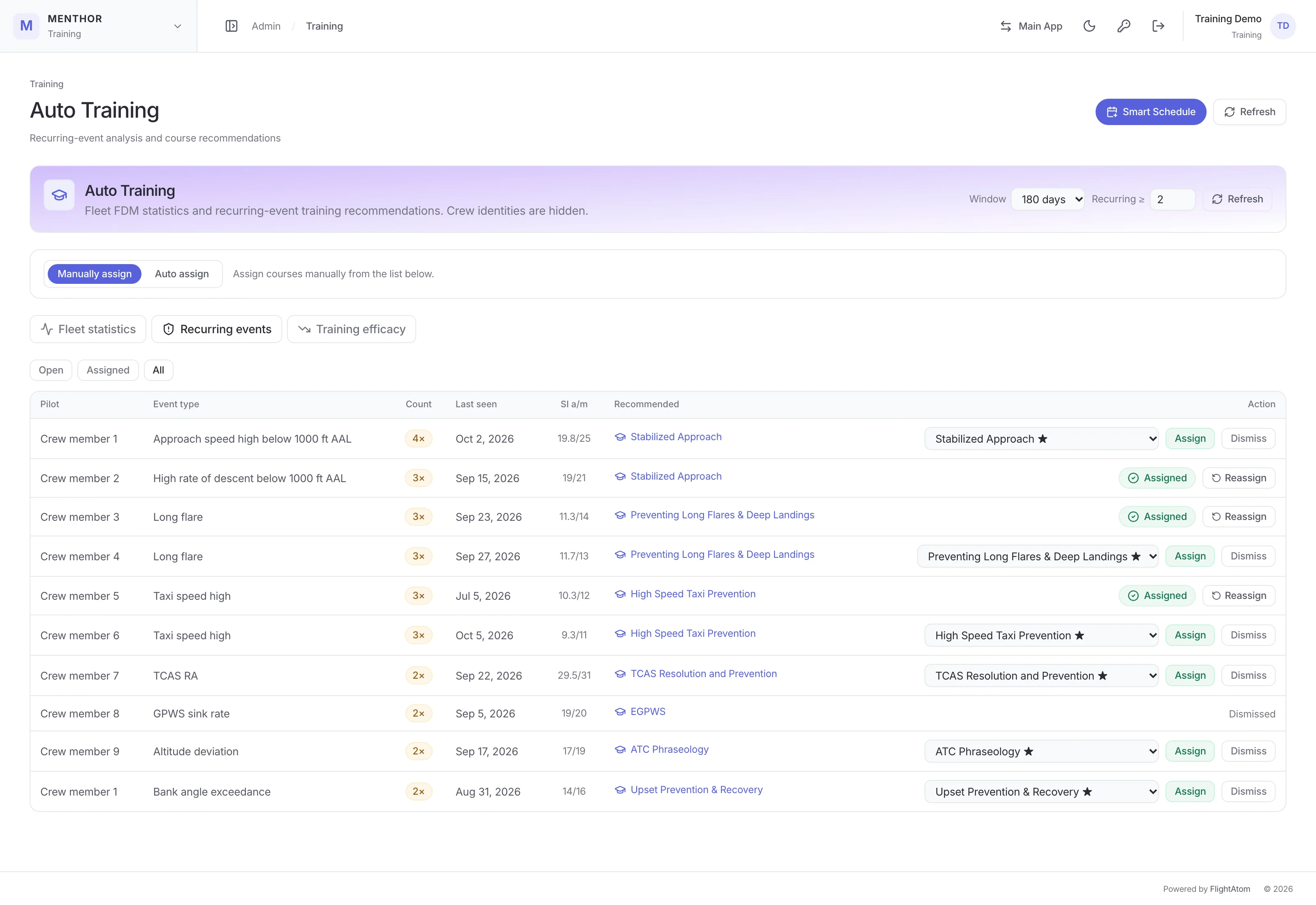
Auto Training reads the FDM events Safety has approved, finds the event types that recur for each captain or first officer, and routes the finding to the matching course in the MENTHOR Ai course library. A fleet statistics view shows crew-attributed events by type, severity and seat, how they are spread across pilots and how many findings are ready to assign. Each finding shows its event count, last occurrence and average and maximum severity, and a dismissed finding stays dismissed.
The pilot stays confidential from the training team
The training view identifies pilots only as Crew member 1, Crew member 2 and so on, with no name, rank or seat position, and names and crew IDs are never sent to it. A training administrator assigns a course through an encrypted reference that only the server can resolve. Authorised safety staff open the same queue with names beside the labels through a separate endpoint and access check, and Auto Training results stay de-identified in the LMS views and issue no certificate.
Each Auto Training course followed up, with a before-and-after count
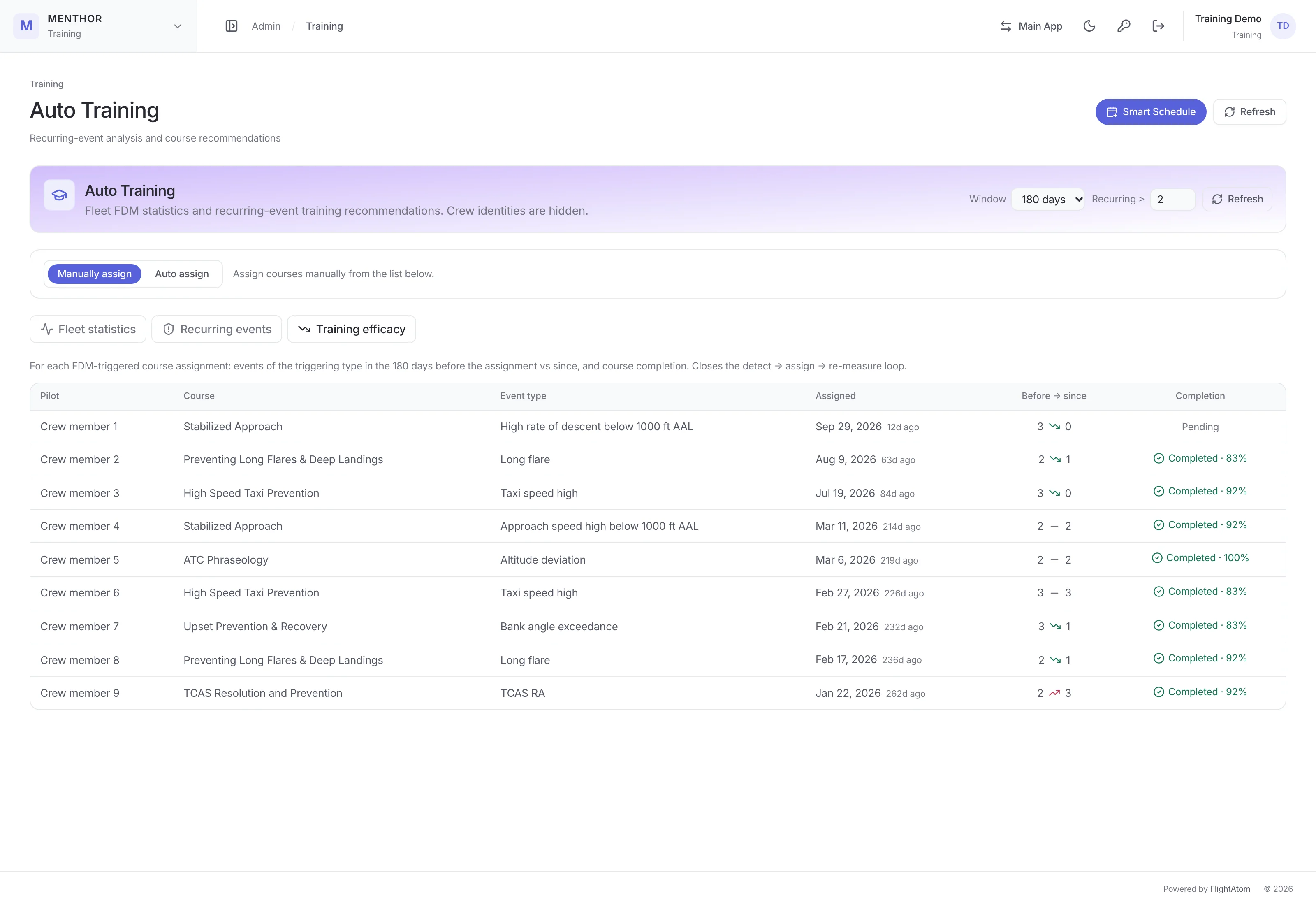
Each Auto Training course has a seven-day completion window, a daily countdown reminder and one escalation to the training team and chief pilot if it goes overdue, which never names the pilot. For each assignment, MENTHOR Ai then shows how many events of the same type the pilot had before and since, with a trend marker and the completion status. The pilot is notified in the app and by email, and the email explains the rules-based process behind Auto Training and that the course is developmental, not disciplinary.
Manual review or automatic assignment
MENTHOR Ai starts in manual mode: a training administrator reviews each finding with the suggested course pre-selected and assigns it, assigns a different course or dismisses it. Switching automation on means confirming roughly how many open findings will be assigned straight away; MENTHOR Ai then assigns that backlog and picks up newly qualifying findings every five minutes. The same course is never assigned to a pilot twice automatically, and each assignment records who made it, when, and the triggering event type and reason.
Simulator pairing, expiry planning and courses
The pairing planner proposes the OPC and LPC/OPC simulator plan that pairs the most pilots inside their 90-day windows and each month's simulator capacity, schedules overdue checks at the earliest opportunity and sends approved sessions to a shared training calendar. Upcoming expiries are grouped into training cohorts with an estimate of the training days needed. Courses open page by page, with at least 30 seconds on every page before the assessment unlocks, count as complete only with a pass of at least 80%, and issue PDF certificates; authority staff can have accounts limited to their assigned courses.
EBT competency assessments and line training
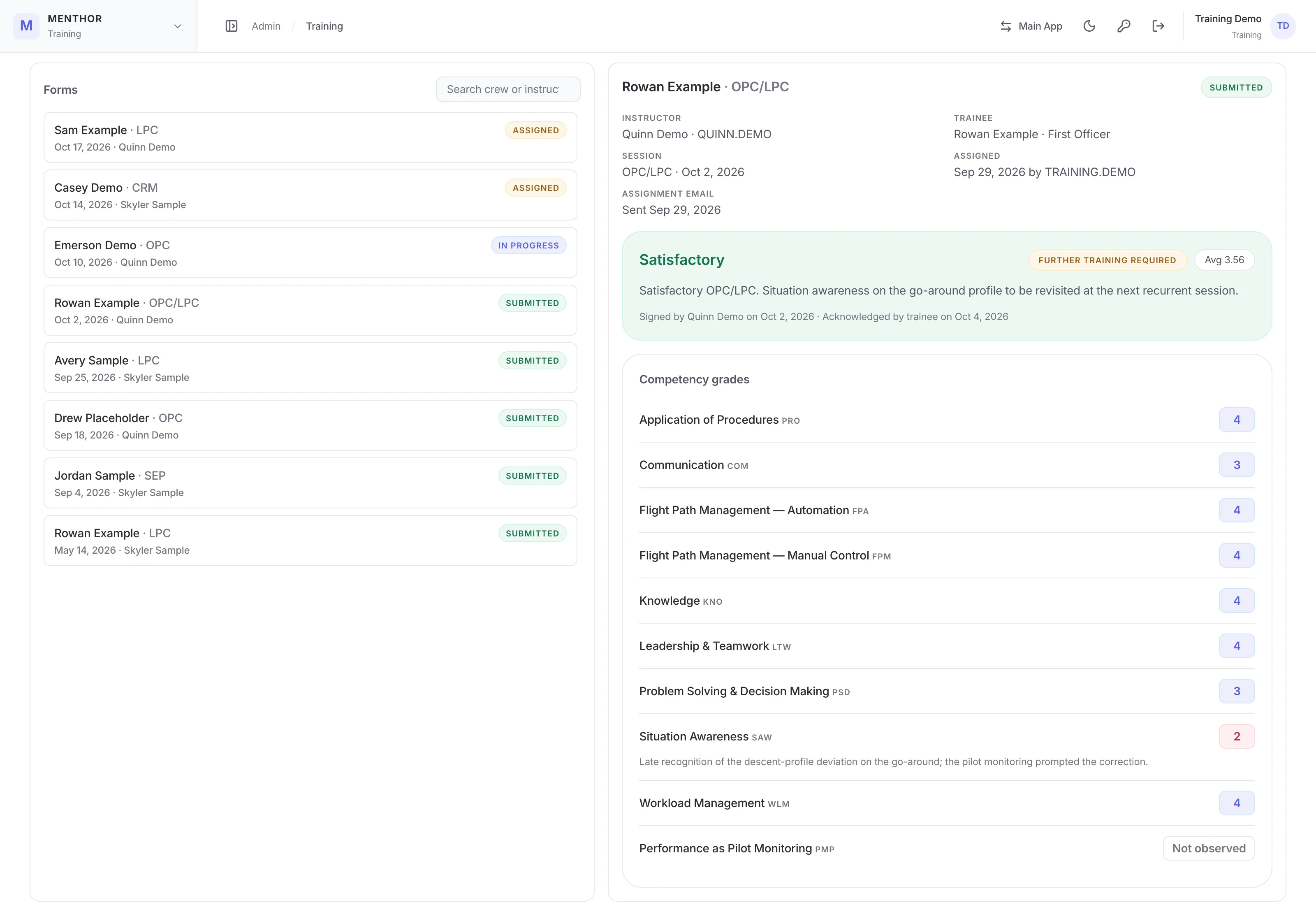
Instructors grade the ICAO pilot competencies, plus pilot monitoring, from 1 to 5 or as not observed, for sessions such as OPC, LPC, CRM and ground school. A grade of 2 or below needs a written observation, the server recomputes the average grade, and the trainee countersigns a record that cannot be edited. Each development point is checked against the next assessment, and every trainee has one cumulative line-training record that each line instructor adds to, with a sector log, item grades and progress toward the minimum sector count.
FDM events matched to the right flight and crew, with drift detection
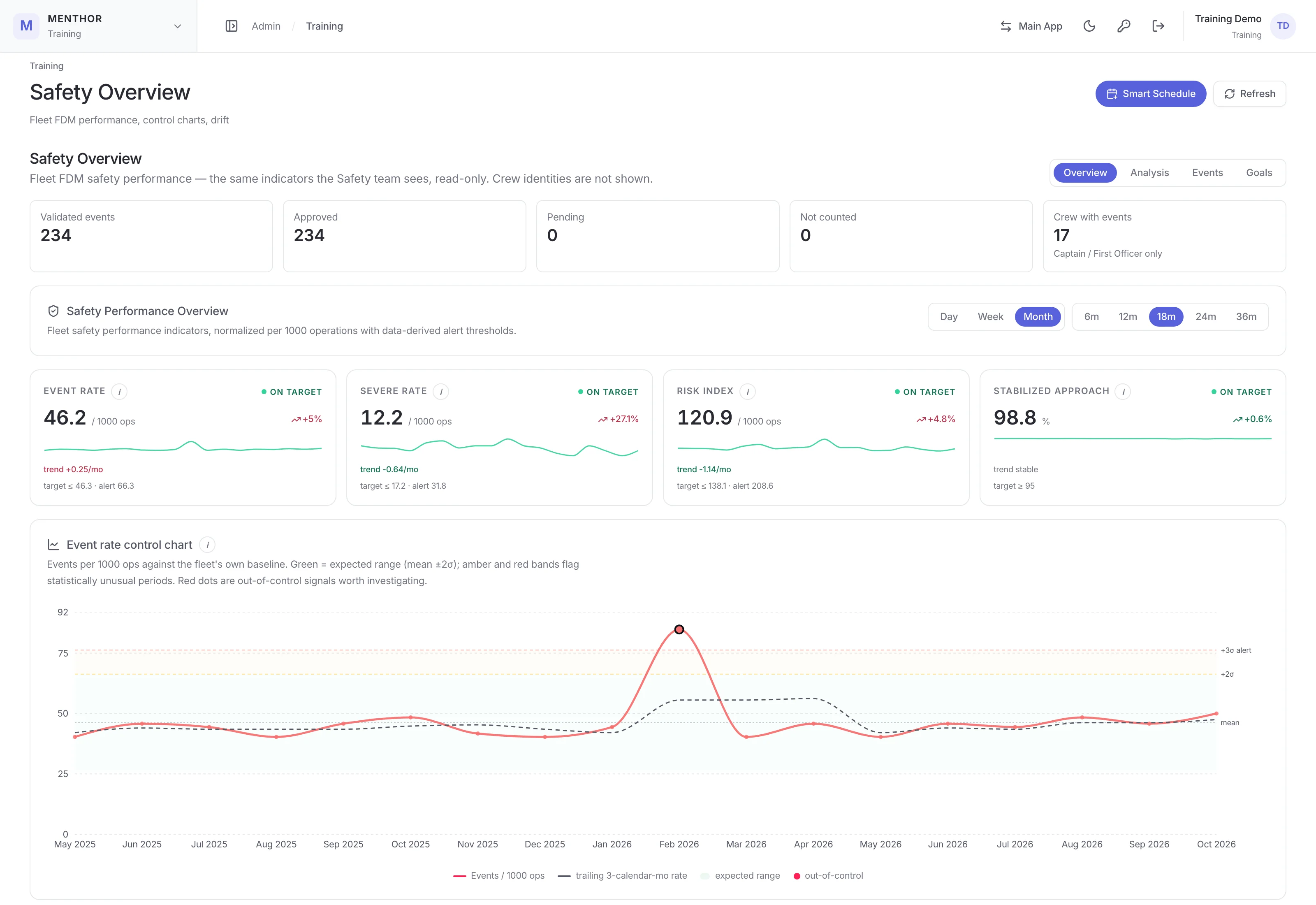
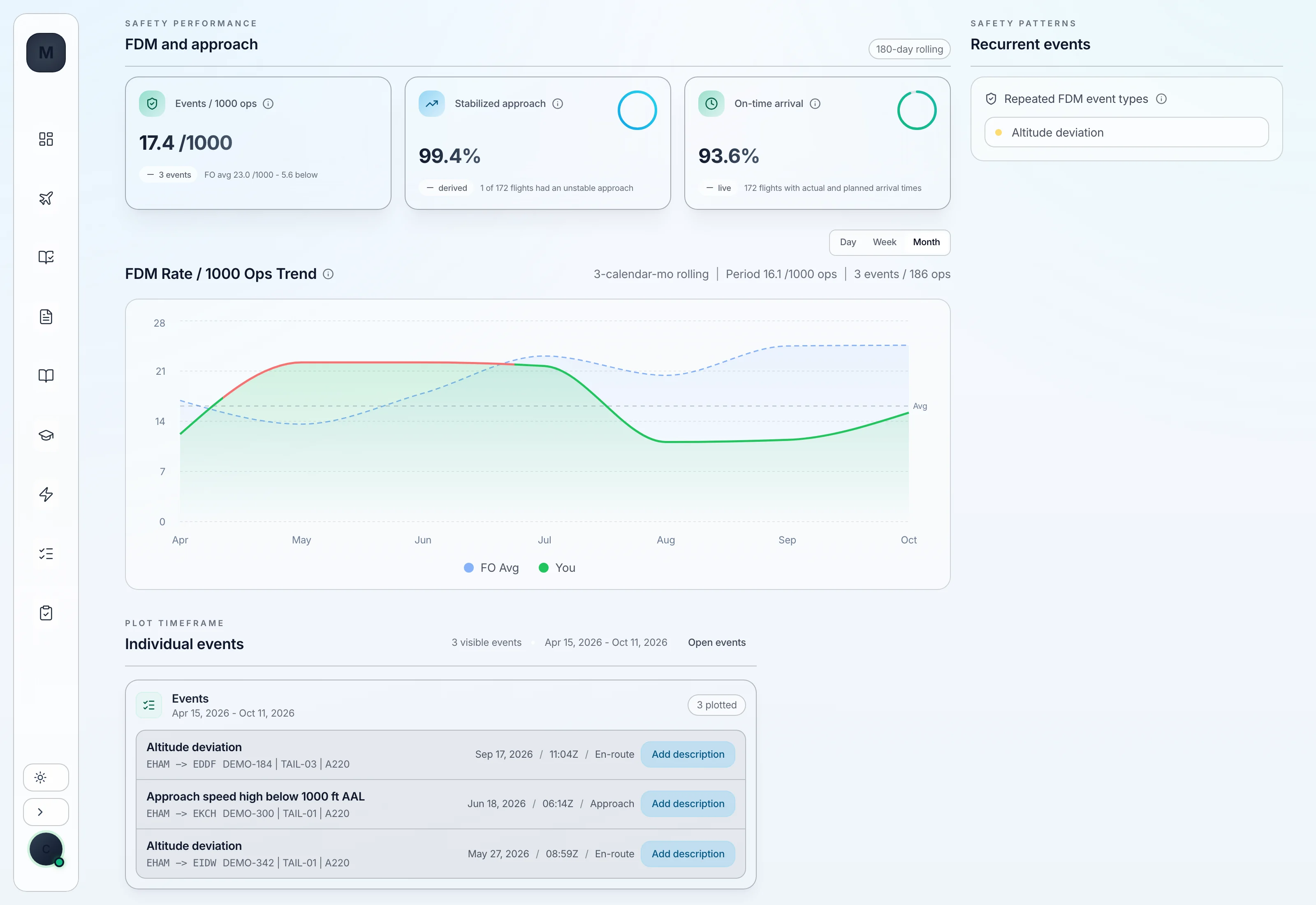
Safety uploads the FDM provider's event export, and MENTHOR Ai matches each validated event to the operated flight by aircraft, time and station, attributes it to the flight-deck crew and queues ambiguous matches for review before Safety approves the batch. Safety can remove an event from a pilot's record or reassign it to another crew member, with an audit entry, and each pilot sees only their own approved events, can respond to each, and on a Trends page follows their own events per 1,000 operations over a rolling 180 days against the average for their seat. Fleet indicators are tracked per 1,000 operations against alert levels derived from the operator's own data, with CUSUM and EWMA control charts to flag sustained change, a projection of when an alert level could be reached, and an analysis view that compares the last 90 days with the prior 90 and breaks events down by phase, station and fleet.