Capabilities
From today's wallboard to Friday's delay report.
The wallboard, the analysis, the briefs and the reports read the same flight records with the same definitions, so their figures agree.
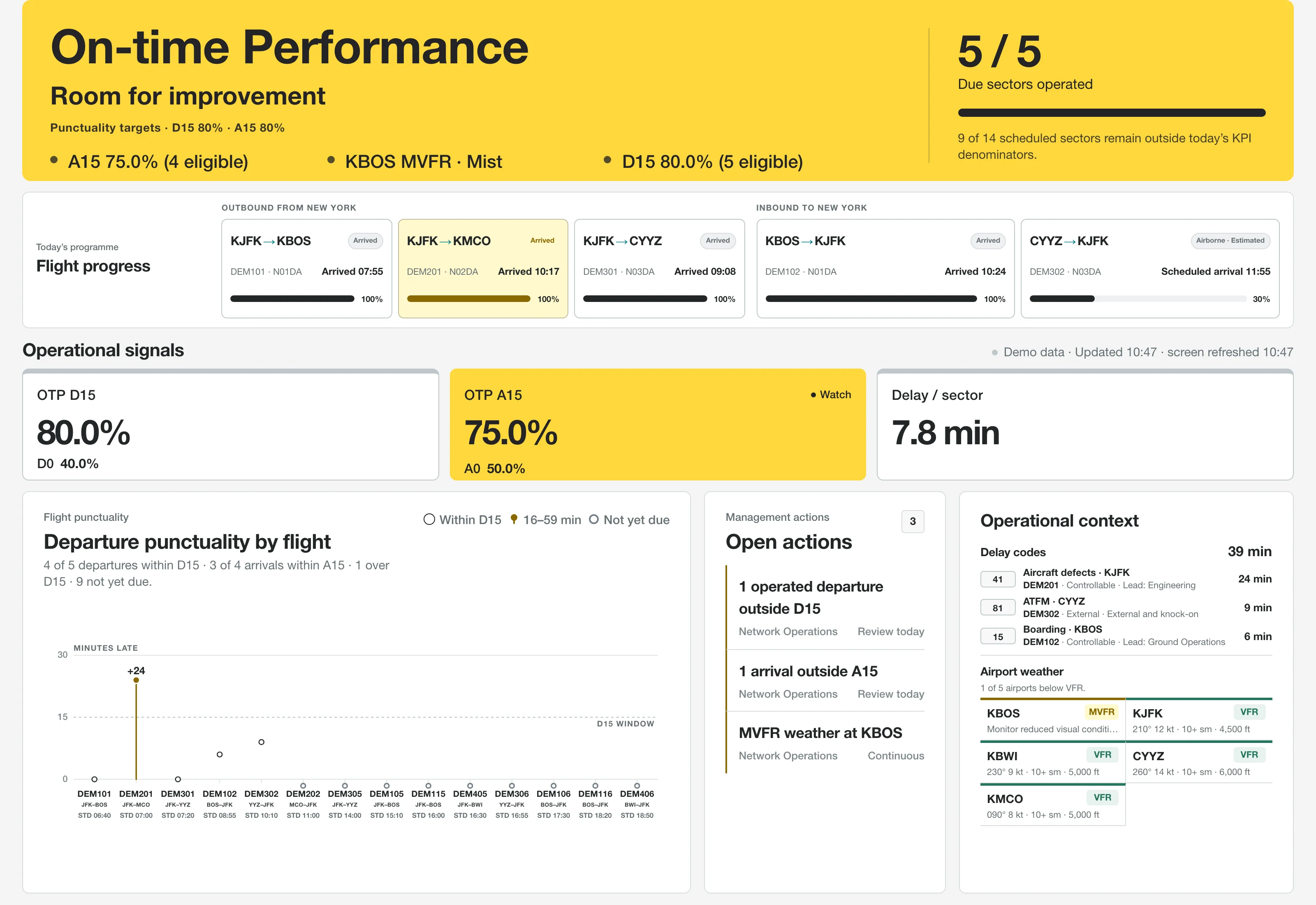
Read the day on one wallboard
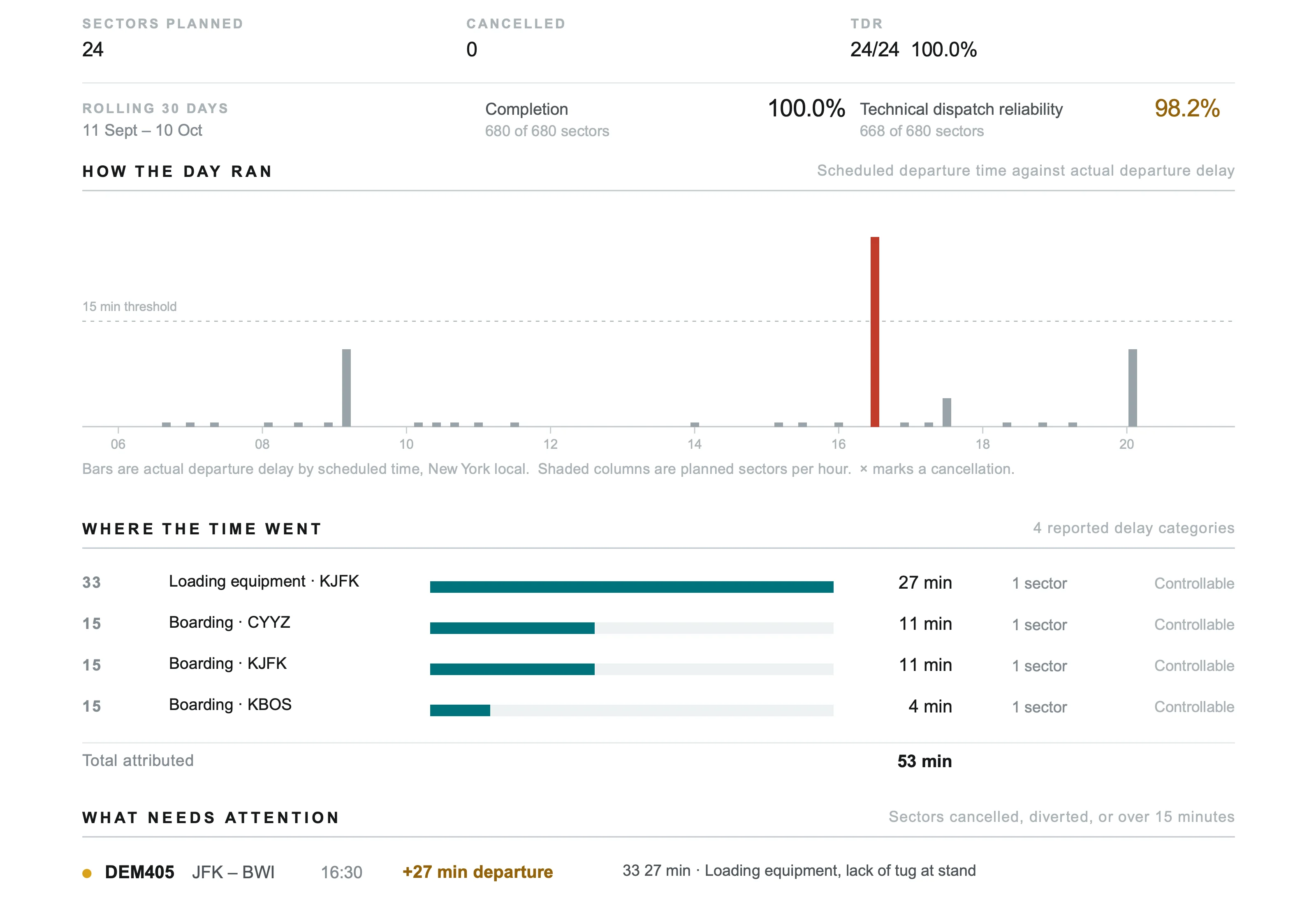
D15 and A15 sit beside the flight counts behind them, and the day is rated on the weaker of the two, so strong departures cannot hide late arrivals. Completion, delay per sector, station departure punctuality and zero-tolerance D0 and A0 for the same sectors share the screen, and authorized users can step the board back through the past year.
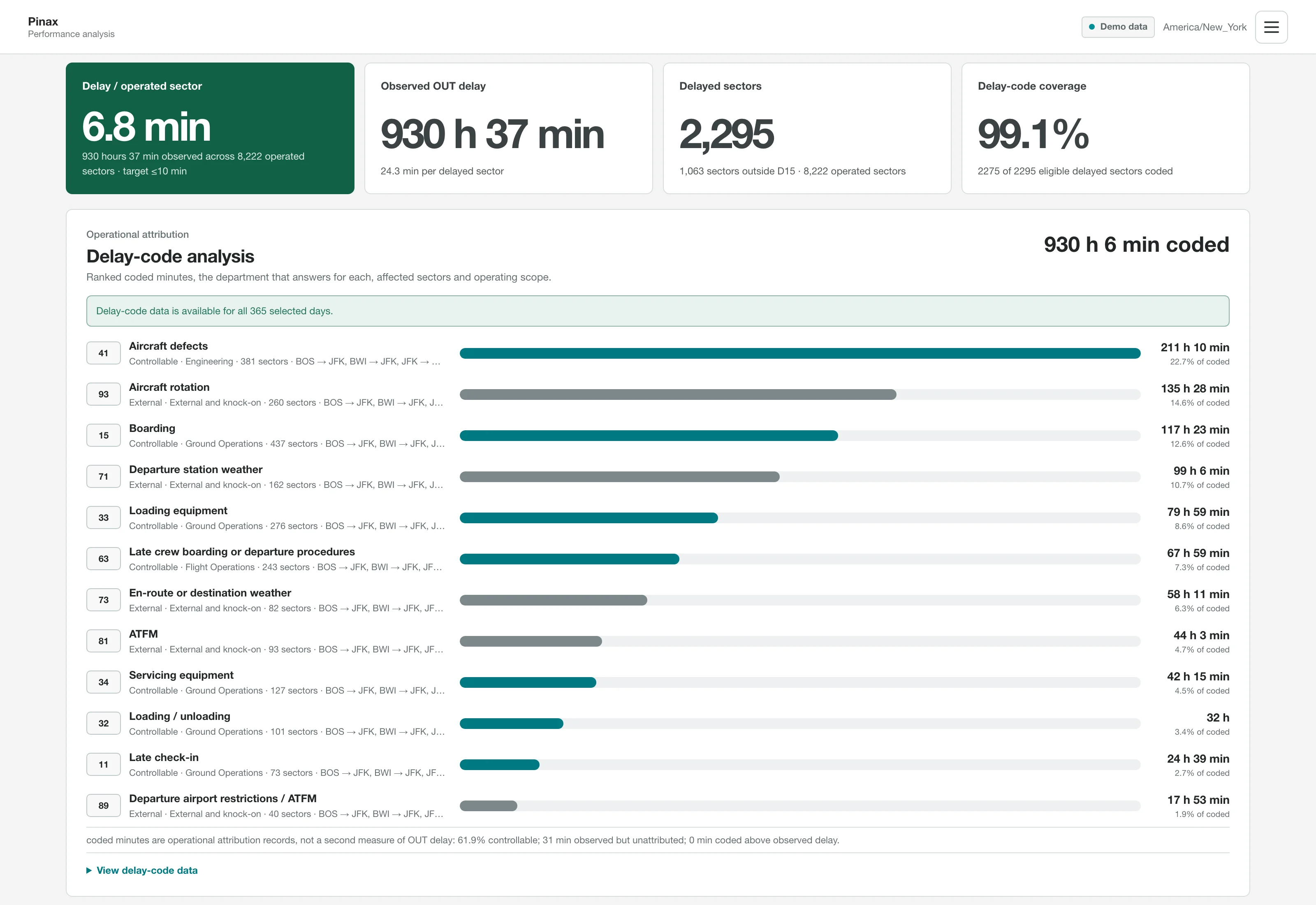
See how much delay was controllable, and whose
The wallboard states how much of the day's delay was controllable and names the lead department for each controllable cause: Engineering (40-49), Ground Operations (10-39 and 50-59) or Flight Operations (60-69). External, knock-on and uncoded delay stay visible on their own, and a Friday report groups the week's delay log by department, reconciles coded minutes against observed delay and shows what share of delayed sectors carry a code.
Start each morning with the operations brief
Each completed operating day becomes a PDF brief, emailed at a set hour to each account that opts in, so nobody assembles the morning report by hand. It covers completion, D15 and A15 with D0 and A0, daily and rolling 30-day technical dispatch reliability, every sector with its delay reasons, station punctuality and open deferred defects, then looks ahead to the coming day's sectors with passenger counts, crew cover and a TAF check at each expected arrival.
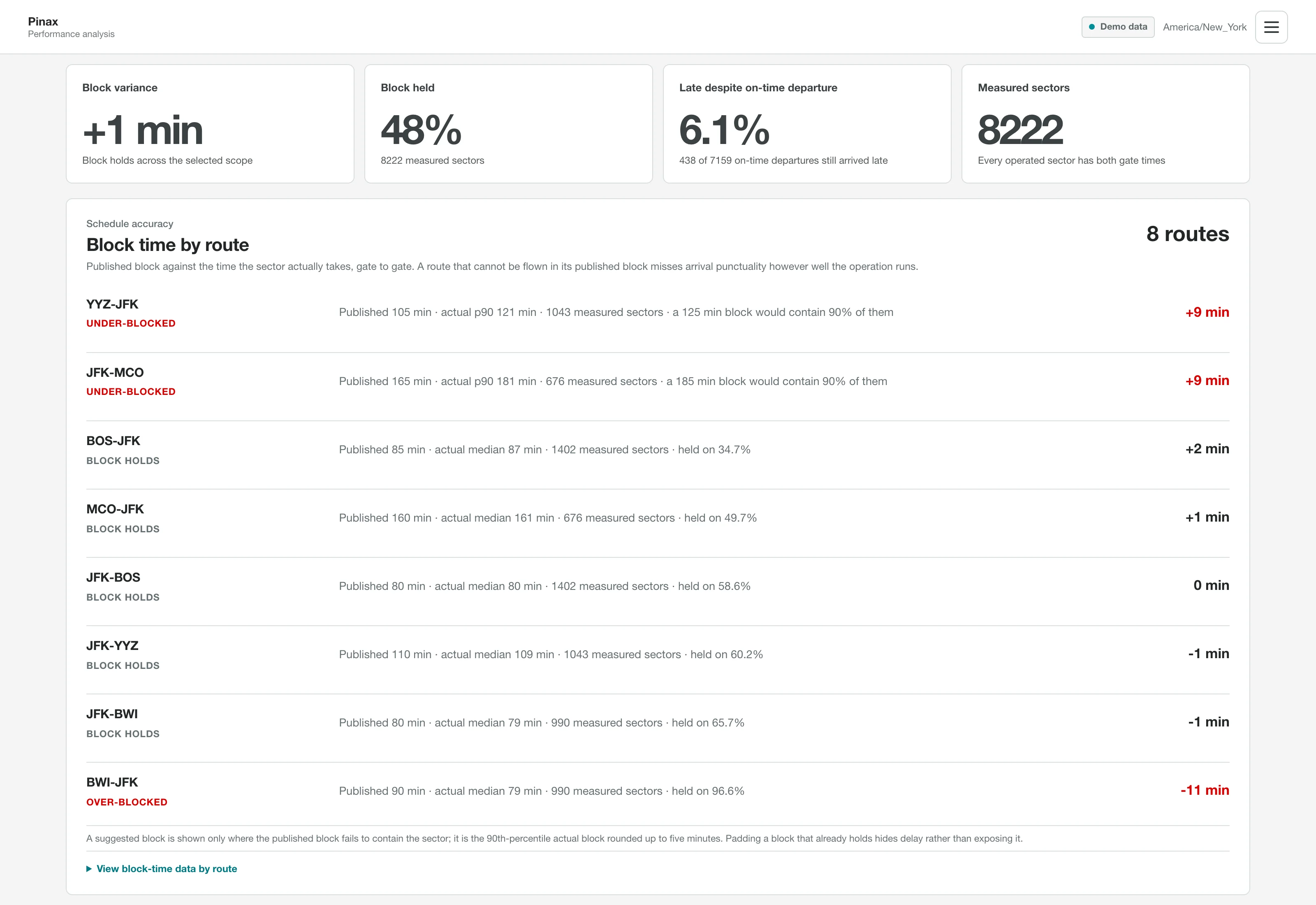
Find the block times behind late arrivals
PINAX Ai compares each route's and flight number's actual gate-to-gate time with its published block, classes it as under-blocked, over-blocked or holding, and counts sectors that left on time but still arrived late. It splits taxi-out, airborne and taxi-in time, and suggests a block that covers 90% of sectors once five or more measured sectors show a route is under-blocked.
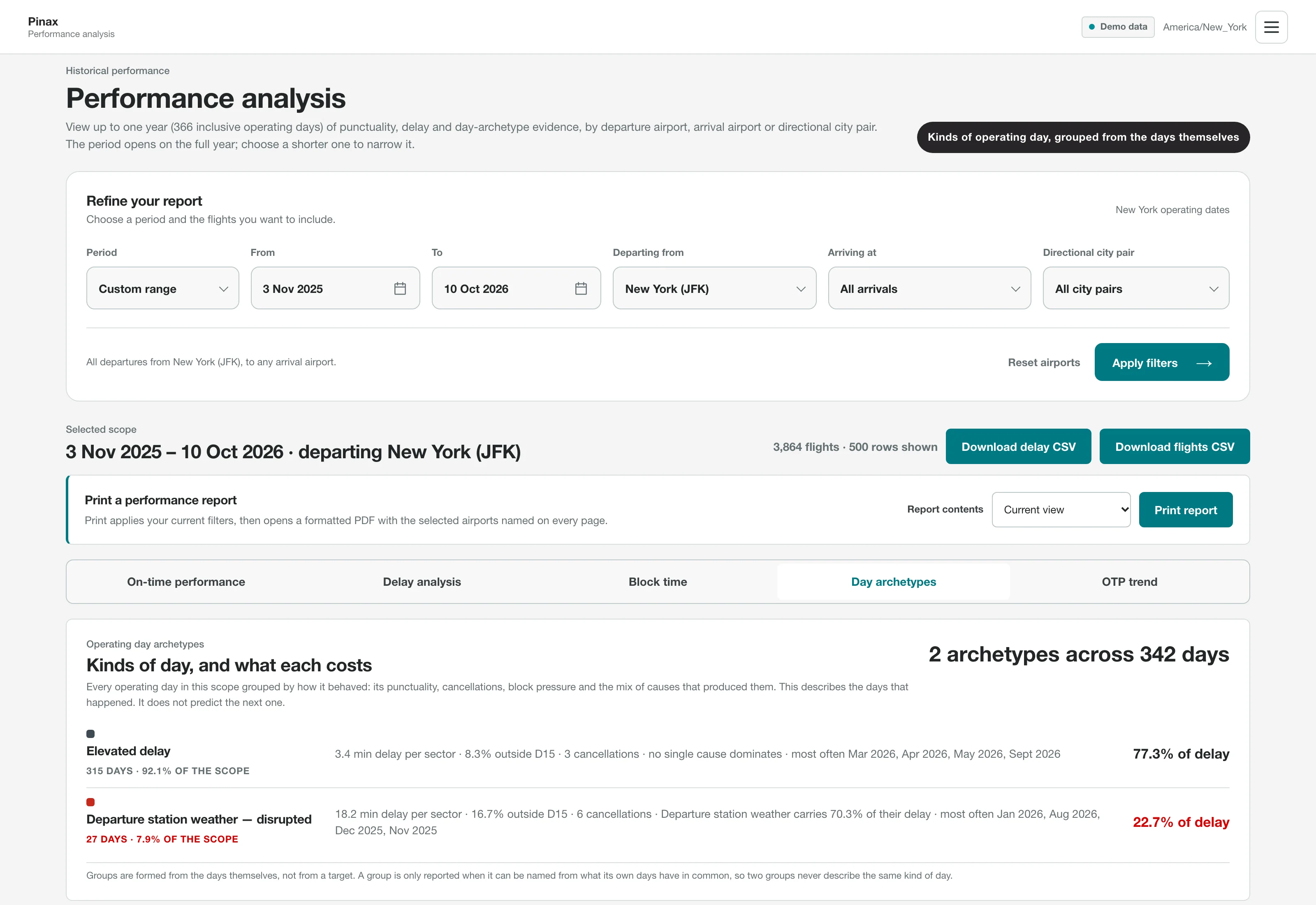
Answer a specific performance question
Filter up to the past year by date range, departure airport, arrival airport or directional city pair across punctuality, delay, block-time, day-archetype and trend views. Any scope exports as an A4 PDF report of one view or all five, with flight, delay, route and schedule CSV files.
See what needs attention now
Rule-based checks raise up to three actions at a time, each with an owner and a due time: cancellations, missing movement times, overdue departures, punctuality misses and airport weather from current METAR observations. The board refreshes every minute, keeps the last good picture if an update fails, and keeps the screen awake in full-screen mode.
Ask the pilots what they saw
PINAX Ai can email the pilots rostered on a delayed flight a signed survey link that needs no account and does not show the recorded delay codes. An optional crew delay log, granted one account at a time, lists late departures by roster code, never by name, and ranks a code only after it has flown ten sectors in the window.
Check readiness across aircraft, crew and tasks
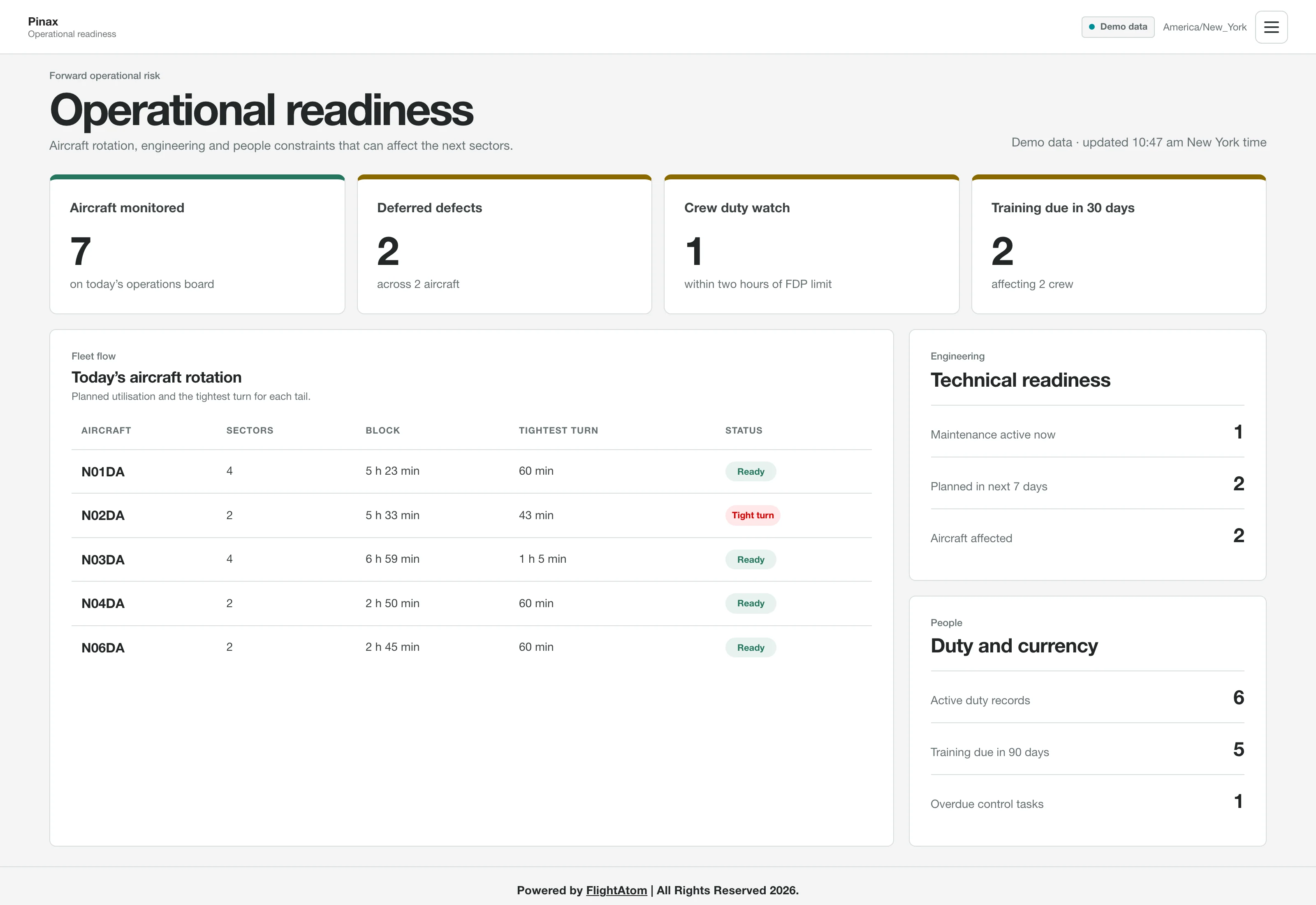
The readiness view shows each aircraft's rotation and tightest turn, active and next-seven-day maintenance, open deferred defects, crew duties within two hours of their recorded flight duty period limit, training expiring within 30 and 90 days, and overdue operations tasks, all as counts without crew names.
Give each screen and person the right access
Administrator, Operations manager and Wallboard viewer presets, or a custom set, decide which views each account can open, and every account change is recorded in an audit trail. Accounts set up as wallboard screens stay signed in while the screen keeps refreshing, and personal accounts confirm sign-in with a six-digit code sent by email. With Keycloak single sign-on, the roles assigned there set PINAX Ai permissions and are rechecked every few minutes.