Capabilities
From the published programme to the certificate of approval.
The operator's programme, the inspectors' observations, the course material and every decision sit on one record that both organizations work from.
Prove exactly which version was approved
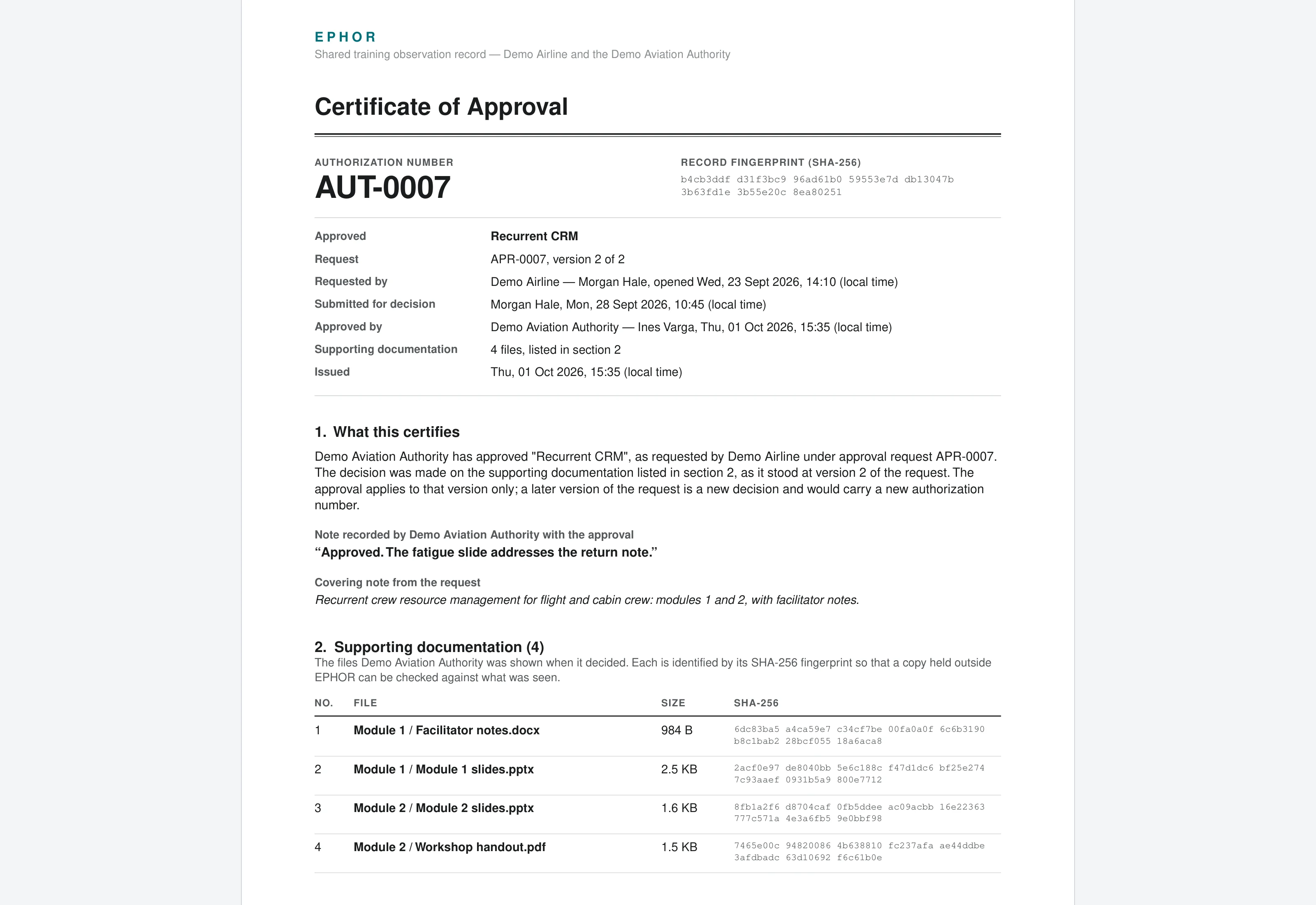
Each approval issues a numbered certificate of approval as a PDF, listing every approved file with its SHA-256 fingerprint, the approver's note and the decision history. The certificate is stored unchanged, and the same PDF is emailed to both organizations.
Keep instructors on the approved version
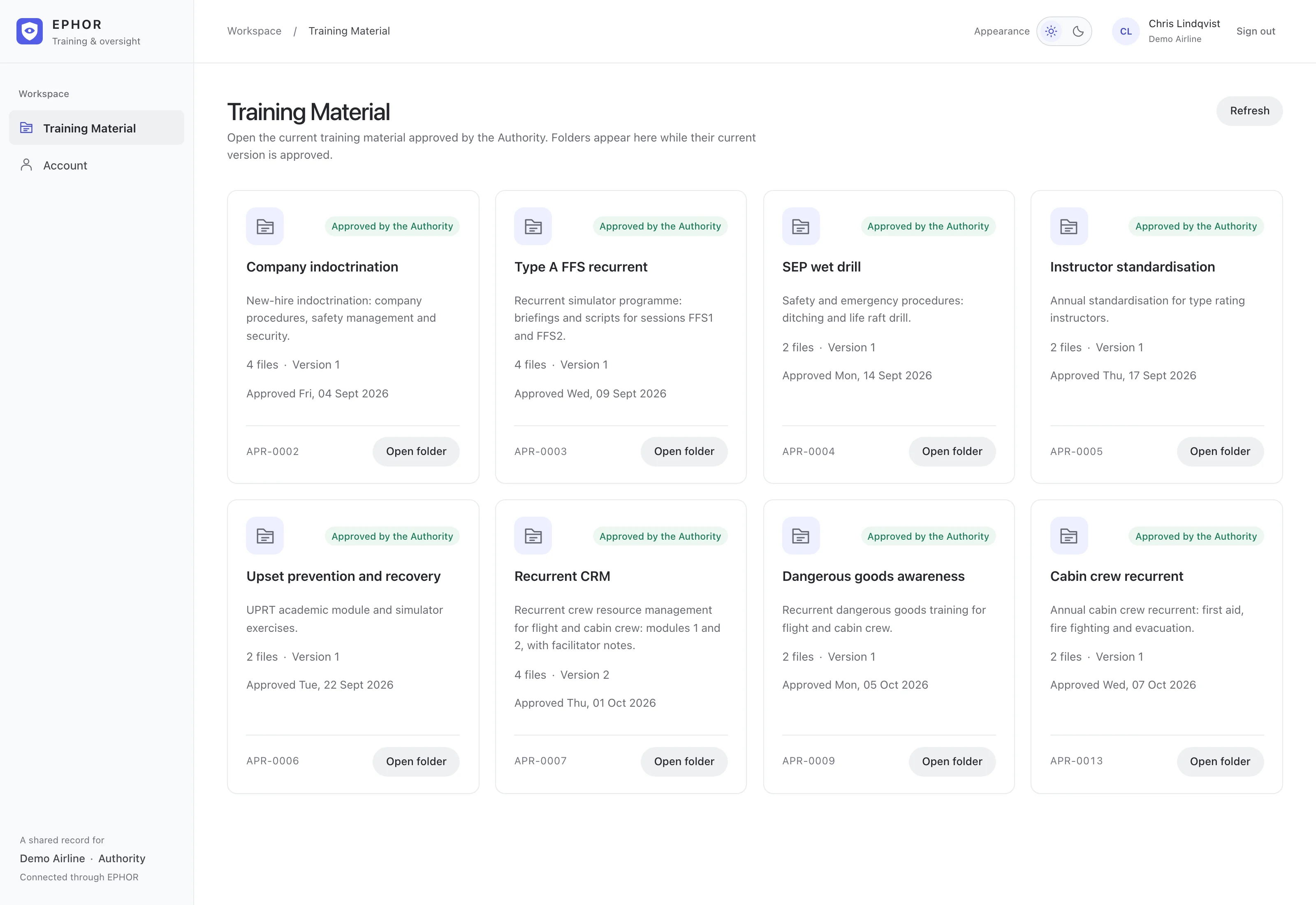
Instructors see only the version of each course that the authority has currently approved. A course leaves their library as soon as a new revision opens, and the approval is checked again on every file download. Instructor accounts can open this library and change their own password, and EPHOR Ai refuses them everywhere else, even through a direct link.
Arrange every observation on the record
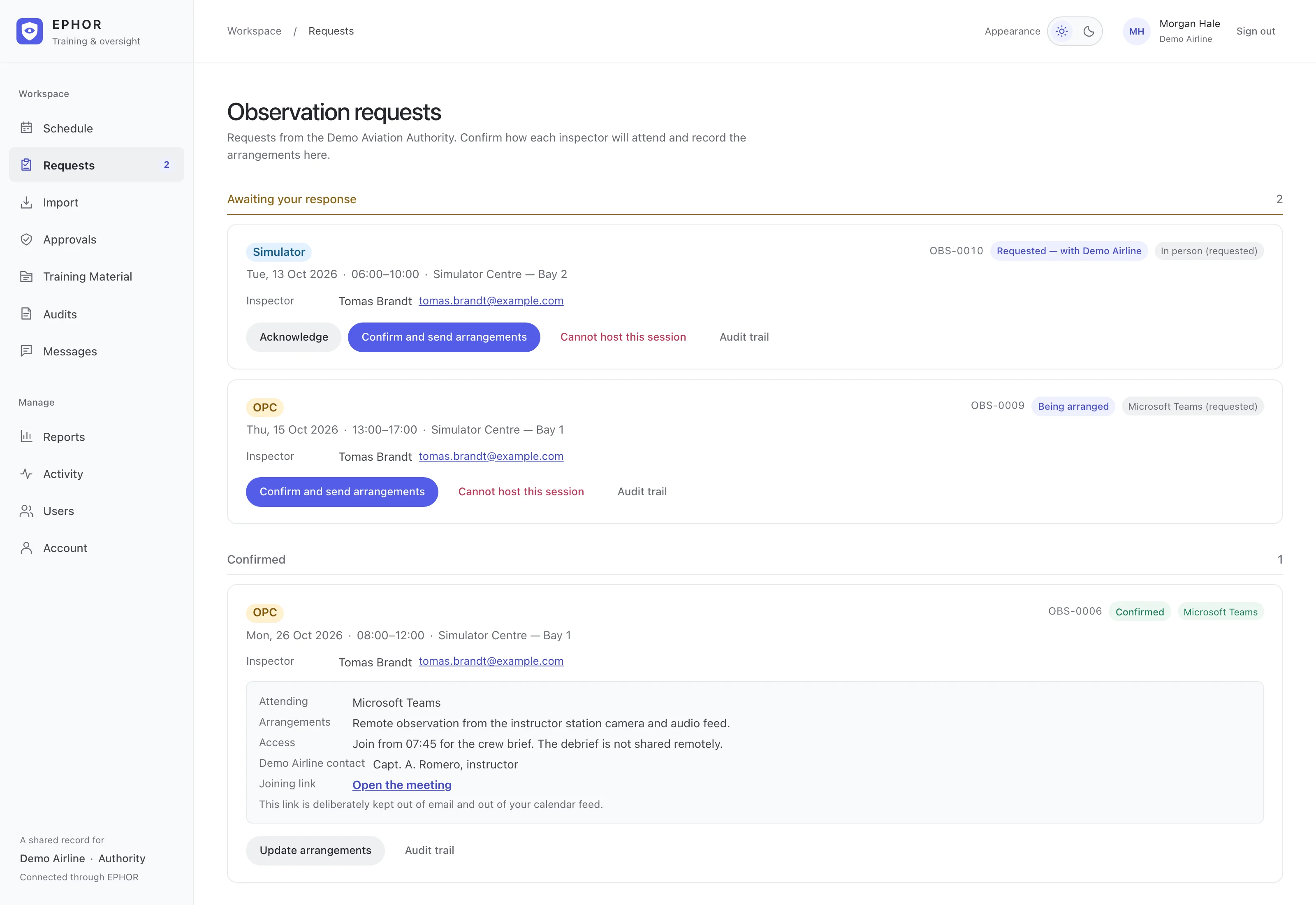
Inspectors ask to attend in person or over Microsoft Teams, with a warning if a colleague has already requested the session. The operator confirms with arrangements or chooses a reason it cannot host and explains it, the inspector can ask it to reconsider, and a request still waiting on the operator when the session runs is recorded as not accommodated. Teams joining links are shown only to the observing inspector and the operator, never in email, calendar feeds or exports.
Reconfirm when a session changes
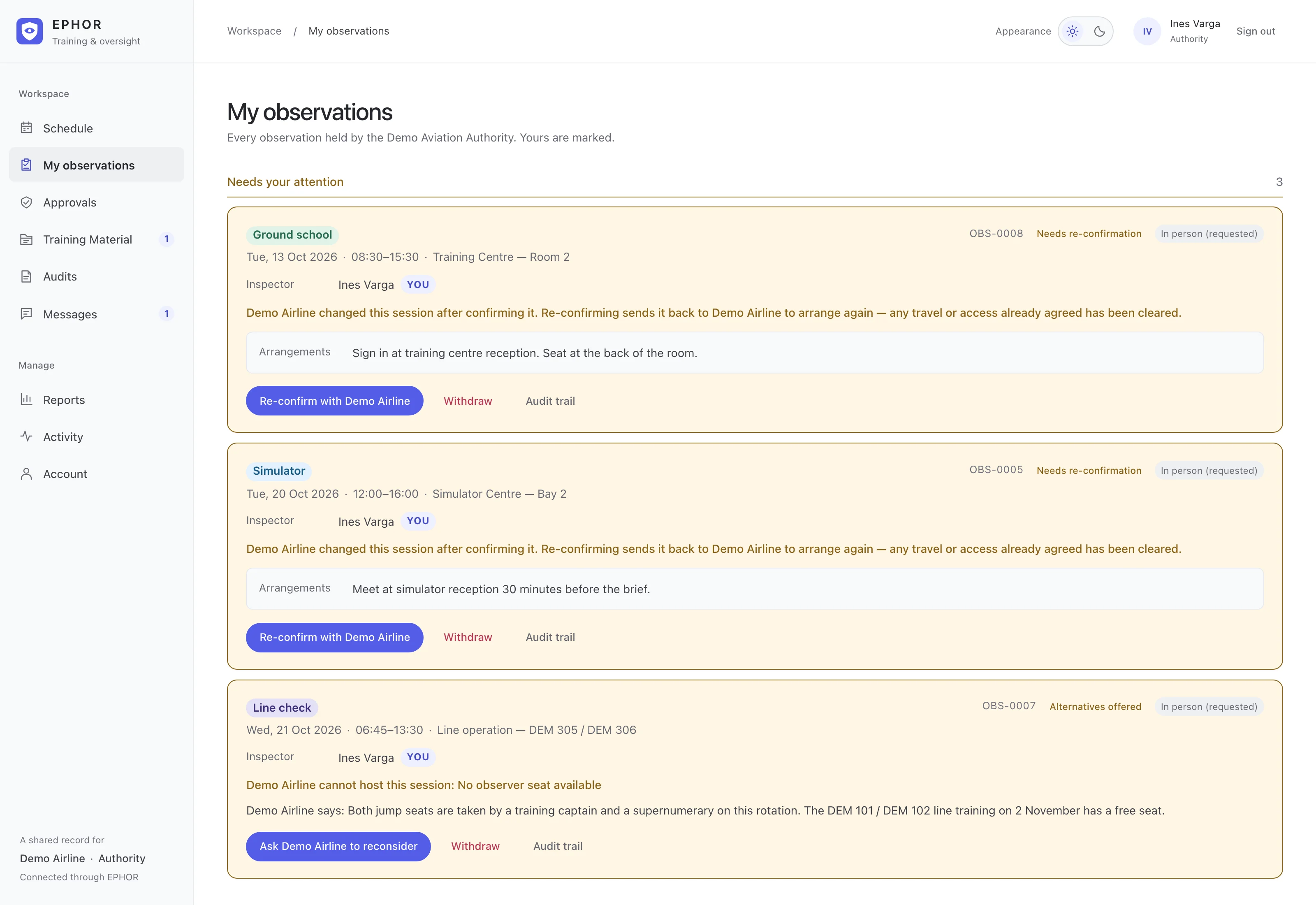
Each change to a session is saved as a new version. A change to the date, time, session type, location, instructor or remote availability sends a confirmed observation back: the inspector reconfirms against the new version, the operator confirms the arrangements again, and both receive a before-and-after summary. A corrected note does not trigger this.
Count only sessions that were observed
The coverage report, in PDF or CSV, lists every session in the period and counts a session as observed only when an inspector was confirmed and attended. Open requests, requests the operator could not host or never confirmed, and reports still due are counted separately, with totals by inspector and by attendance mode.
See what changed between versions
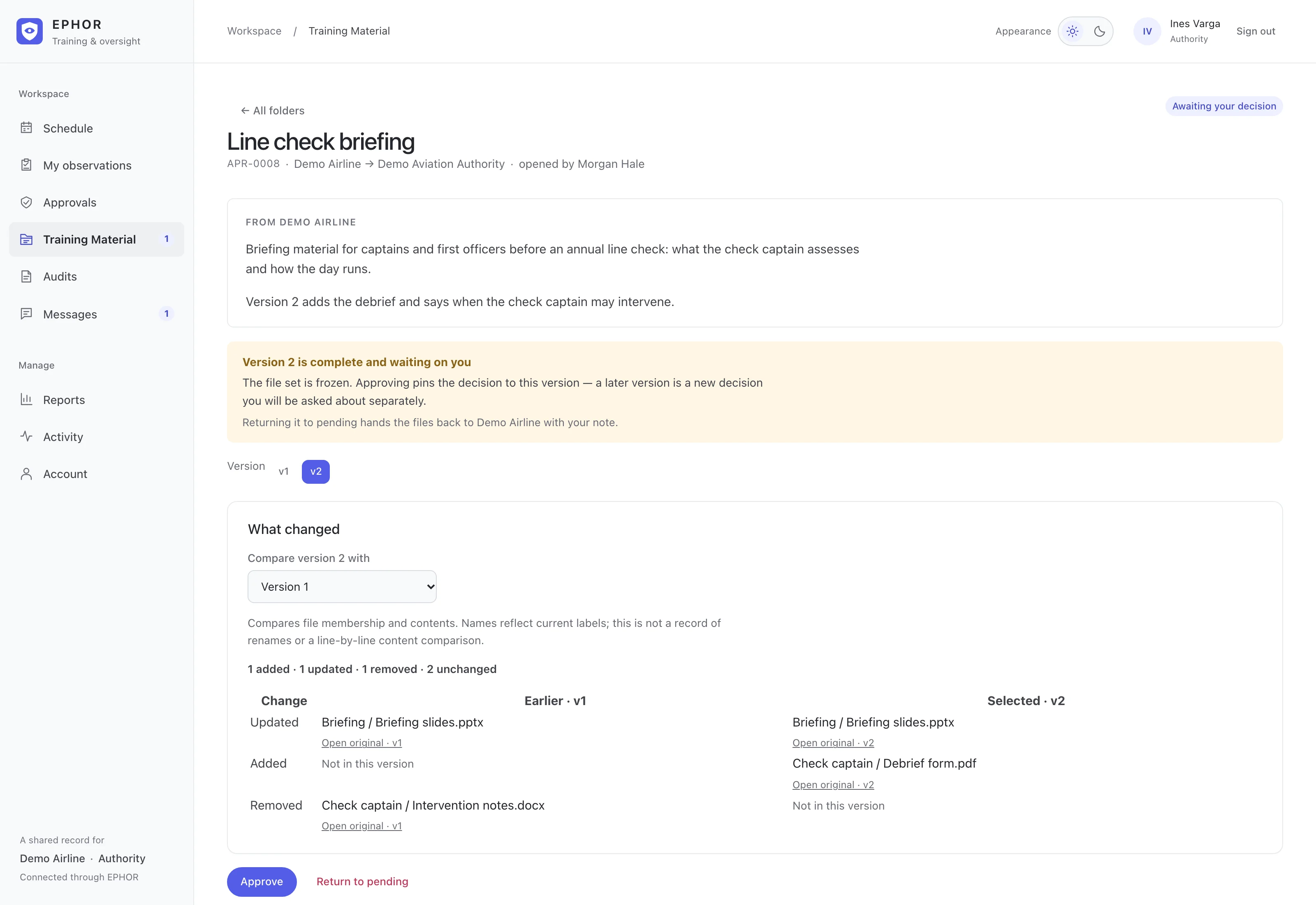
Reviewers compare a course folder with any earlier version and see which files were added, changed or removed, and both organizations can comment on individual files. Operators submit PDF, PowerPoint and Word files, PDFs open inline, and EPHOR Ai refuses Office files that contain macros or embedded content.
Publish the training programme
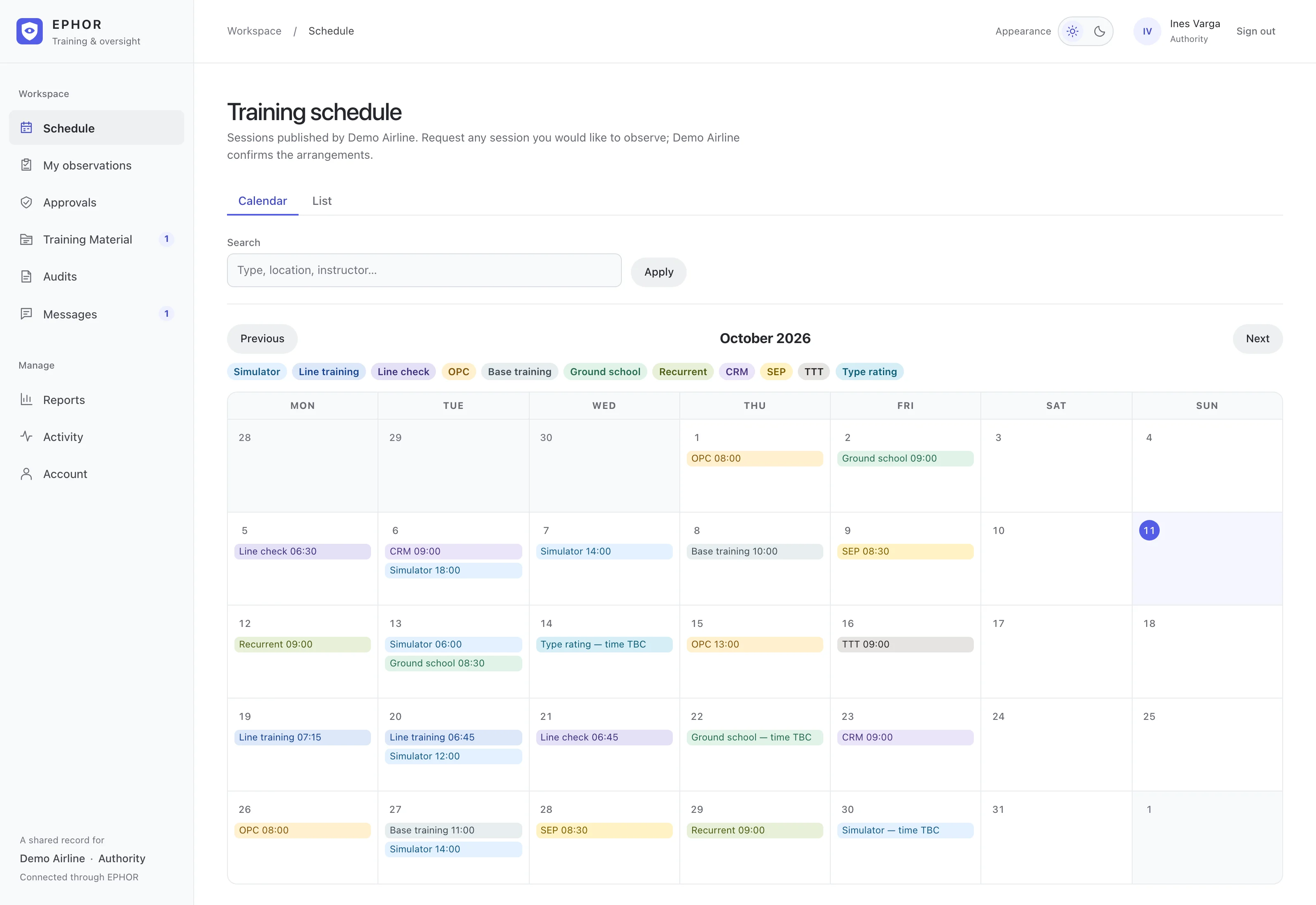
Inspectors see the published programme in calendar and list views, from simulator, line check and OPC sessions to ground school, CRM, SEP and type rating training, and request to observe straight from it. Times can stay unconfirmed, each session states whether it can be observed remotely, and a CSV import is previewed row by row and cannot be committed until every error is fixed.
Exchange approval packages both ways
Either organization can open a request for the other to decide, or share files for information. Marking a request complete freezes its files as a numbered version, a request sent back must include a note on what needs to change, and the database refuses any request where one organization would both submit and approve.
Keep both organizations informed
Observation requests, confirmations and outcomes, approval submissions and decisions, and comments each email the other side once saved, and a failed email never blocks or undoes the record. Messages stay behind sign-in, with email saying only that one is waiting. The operator shares monthly audit PDFs, each with its version history, and both organizations get one PDF summary after each day with programme or approval changes.