Capabilities
The details that keep work moving.
Each capability keeps the investigation, its evidence, and the people responsible for it in one record.
Run every investigation the same way
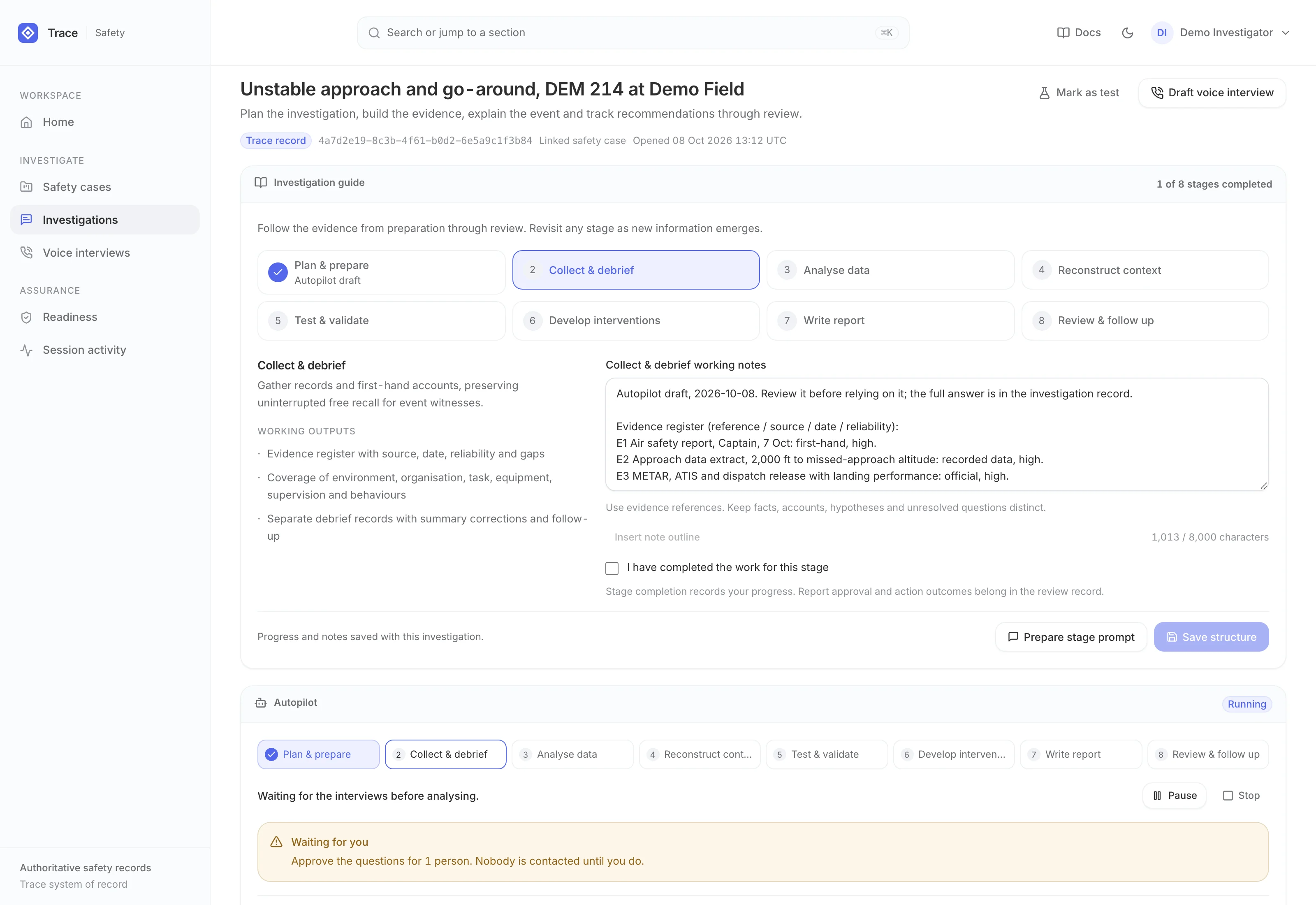
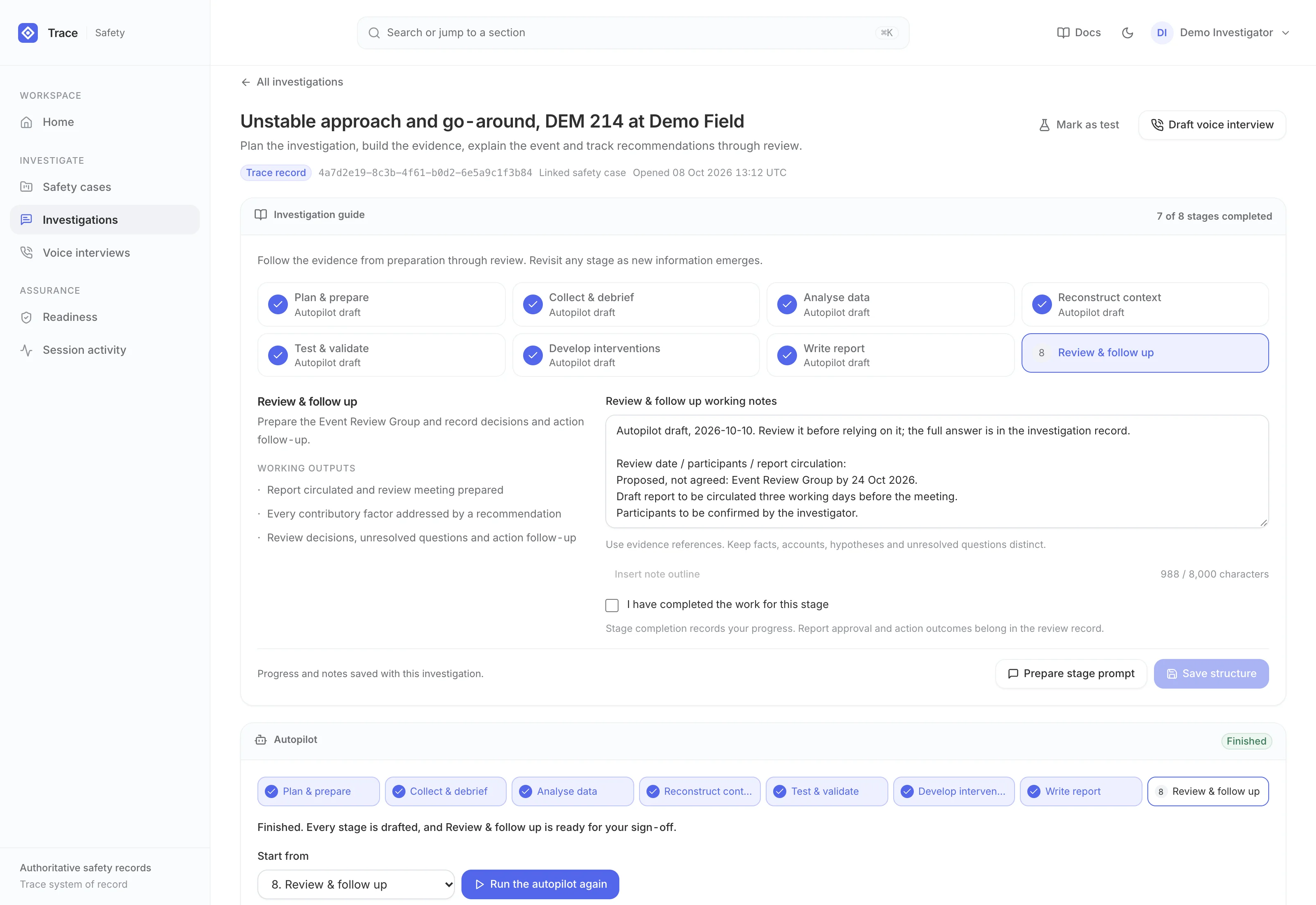
Each investigation follows an eight-stage human-factors method, from planning to review and follow-up, and every stage sets out its purpose, working outputs and a notes outline. Ask about the occurrence, crew, aircraft, evidence or prior findings, and the answers draw on the investigation record and the stage you are in. Revisit any stage as evidence changes; stages the autopilot drafted stay marked until an investigator reviews them.
Let the autopilot do the groundwork
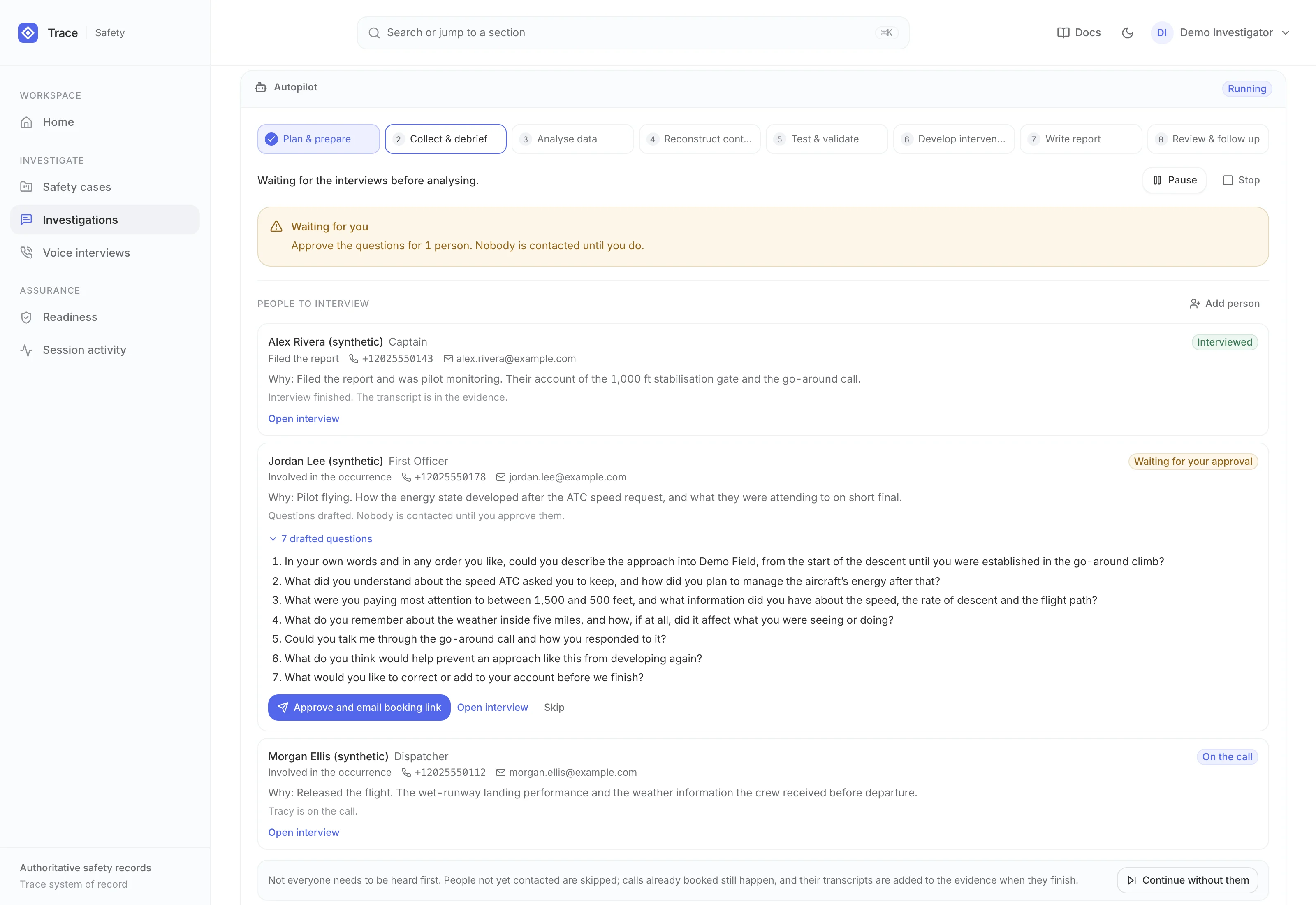
Start the autopilot and TRACE Ai drafts each stage into the working notes. It proposes up to six people whose first-hand accounts would close specific gaps and explains why each is needed; once you add their contact details and approve their questions, it sends booking links, follows each call and files each transcript into the evidence. It then writes up the accounts and drafts the remaining stages, stopping at a review pack for an investigator to sign off.
Interview by phone with Tracy
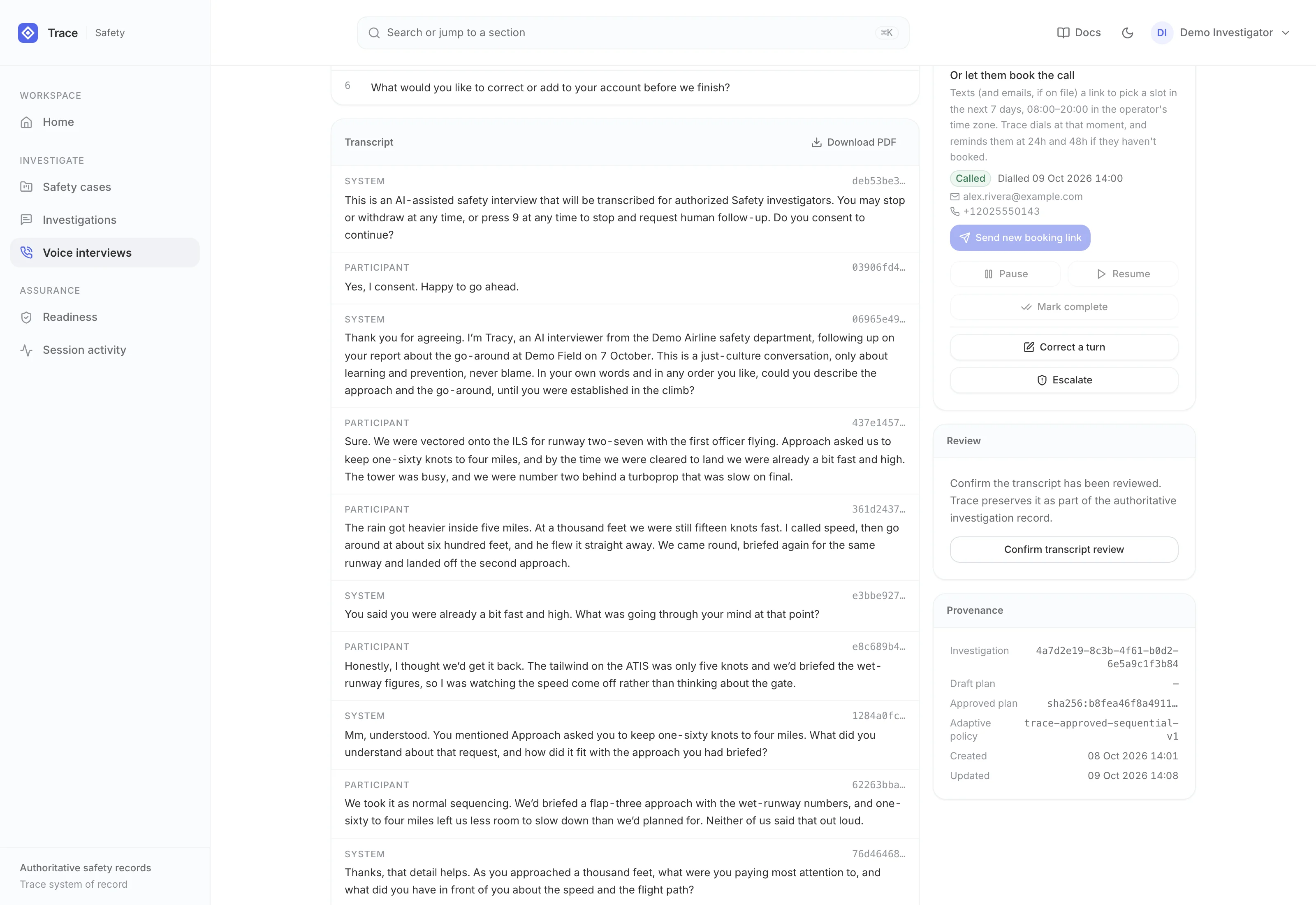
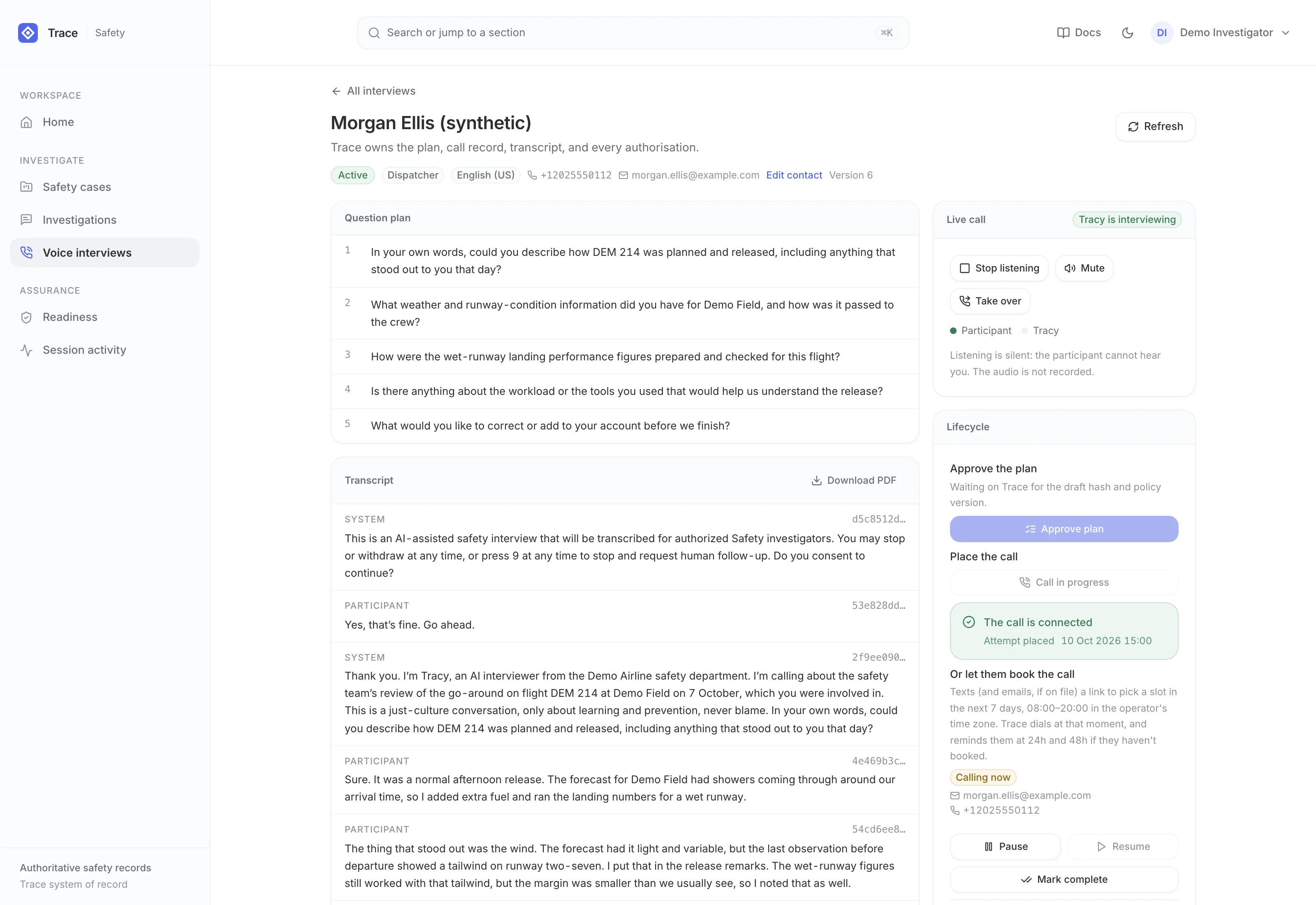
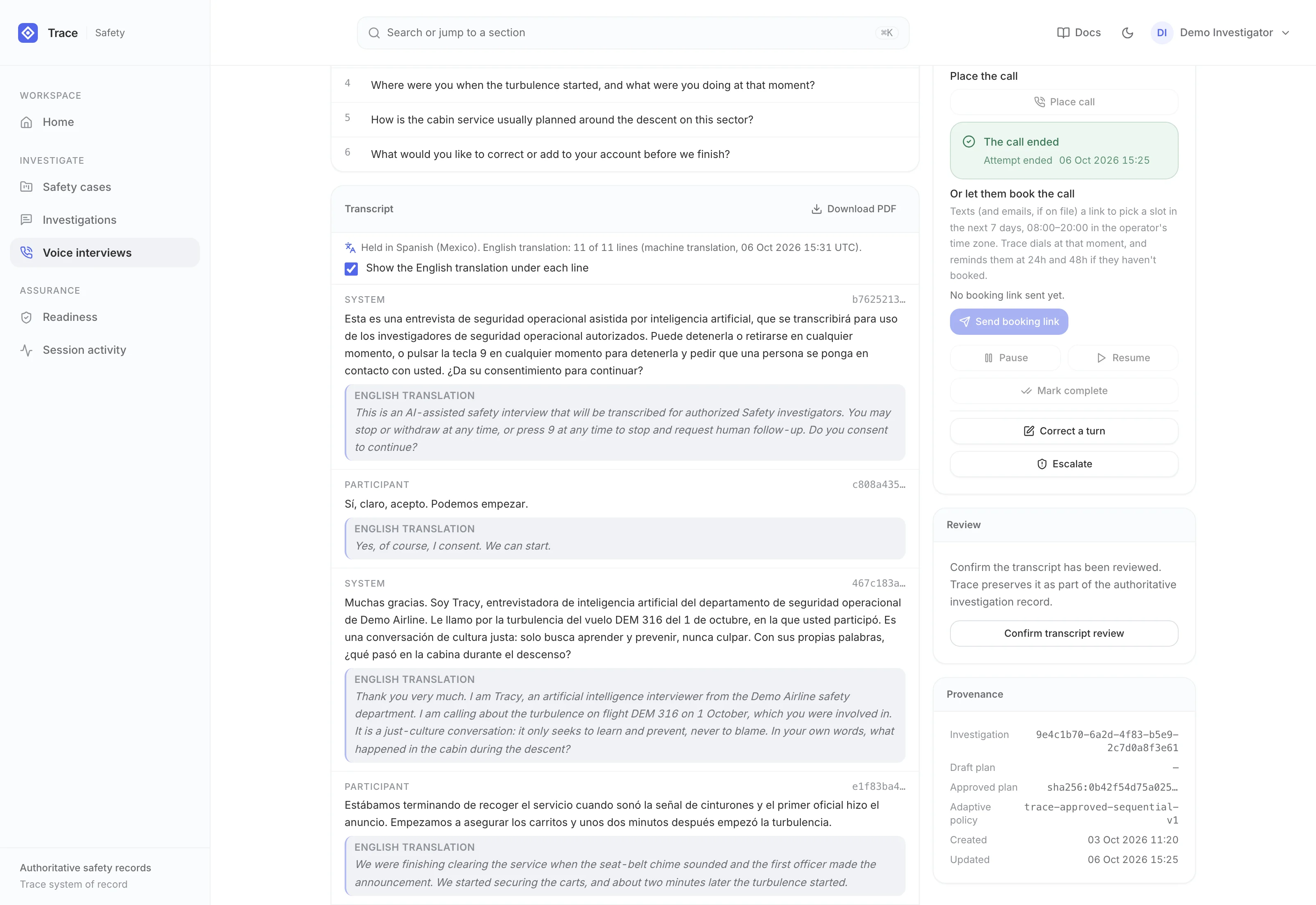
Tracy phones each participant and holds a natural conversation built on the approved questions. She invites the person's own account first, asks open, non-leading follow-ups in their words, skips what they have already covered, and reads back a summary for them to correct. She can also interview in Spanish, French or Portuguese, with an English translation under each line for investigators.
Approve the questions, then let them choose a time
Each person's questions are drafted from the investigation record and the linked occurrence, aimed at the gaps only they can close, with questions about blame, liability, or discipline screened out. Nobody is contacted until an investigator approves the plan, and the approval is checked again before dialling. Participants then pick a call time from an emailed link without creating an account, Tracy calls at that time, and unanswered invitations get reminders.
Listen in, take over, file the record
Follow both sides of the call as text, or listen in live without the participant hearing you; the audio is never recorded. If a call needs a person, take it over: Tracy tells the participant she is connecting them and your phone rings. When the call ends, the transcript is filed into the evidence, corrections sit beside the original words, and investigators can download a restricted transcript record.
Compare the accounts, with every item cited
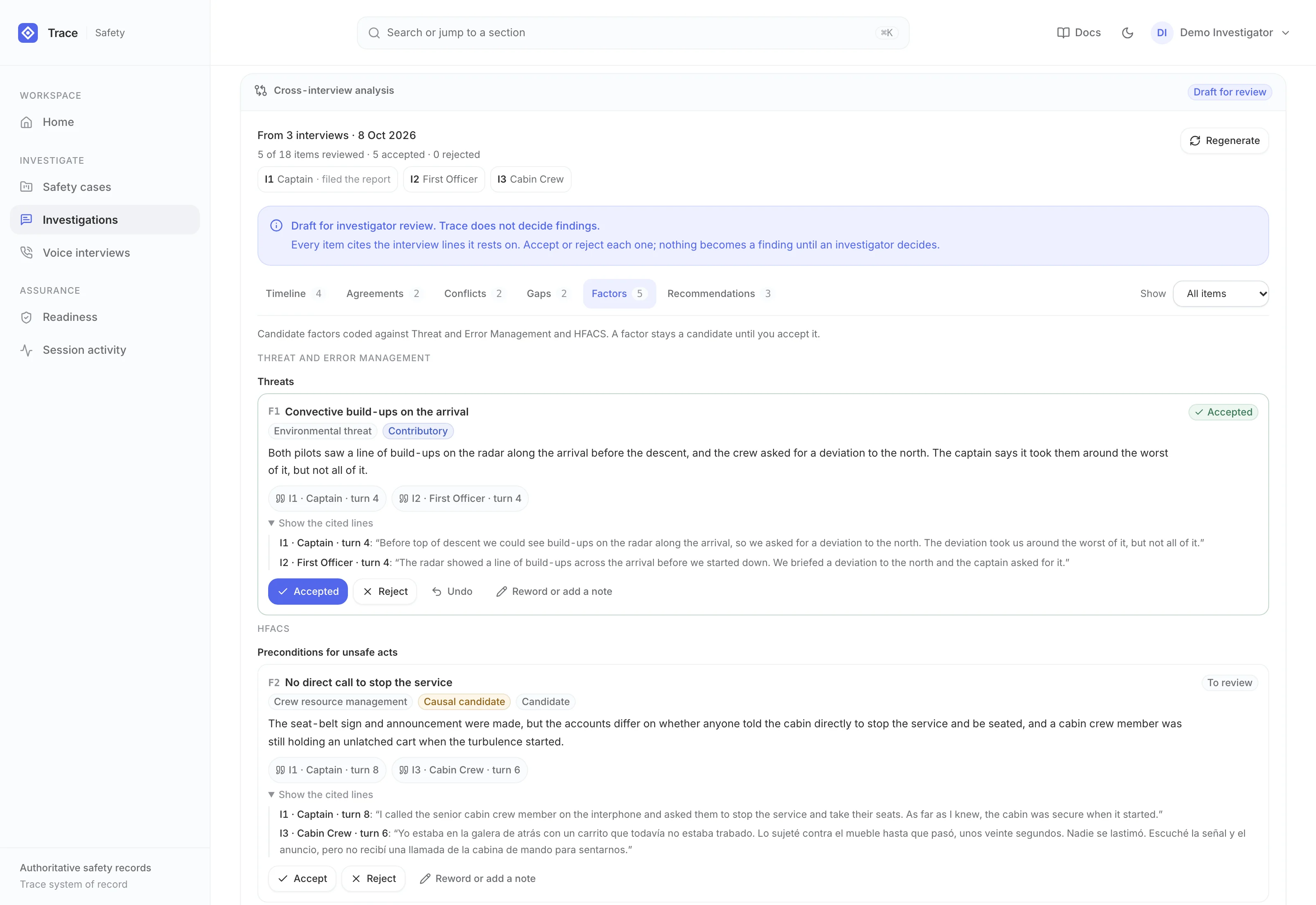
When you ask, TRACE Ai drafts one timeline from the finished interviews, where the accounts agree or differ, and the questions still open. It codes candidate factors against HFACS and Threat and Error Management, and drafts recommendations linked to them, each with a suggested owner and a measure of effectiveness. Every item cites the interview lines it rests on, and investigators accept, reject or reword each one.
Open every call with consent
Each call opens with a fixed consent notice in Tracy's voice, and the person is heard only after it has played. Their own words are kept as the record of their decision, and a clear no or a withdrawal ends the interview with a flag for an investigator. Pressing 9 or asking for a person puts them through to the safety team, or Tracy says the team will follow up.
Build the evidence context
Bring in reports, logs, PDFs, and photos. Images are described by a vision model so later answers can use what they show, and TRACE Ai keeps a live list of the evidence still outstanding.
Preserve accountability
Safety content is encrypted field by field inside the application, key actions go to a cryptographically chained audit ledger, and role-based access and single sign-on control who sees each record.