01 / Workspace
Every assigned application, with its access level
The current workspace in its design-preview mode, with a synthetic account and sample access. Each card shows the application, the level the person holds, and the launch link.
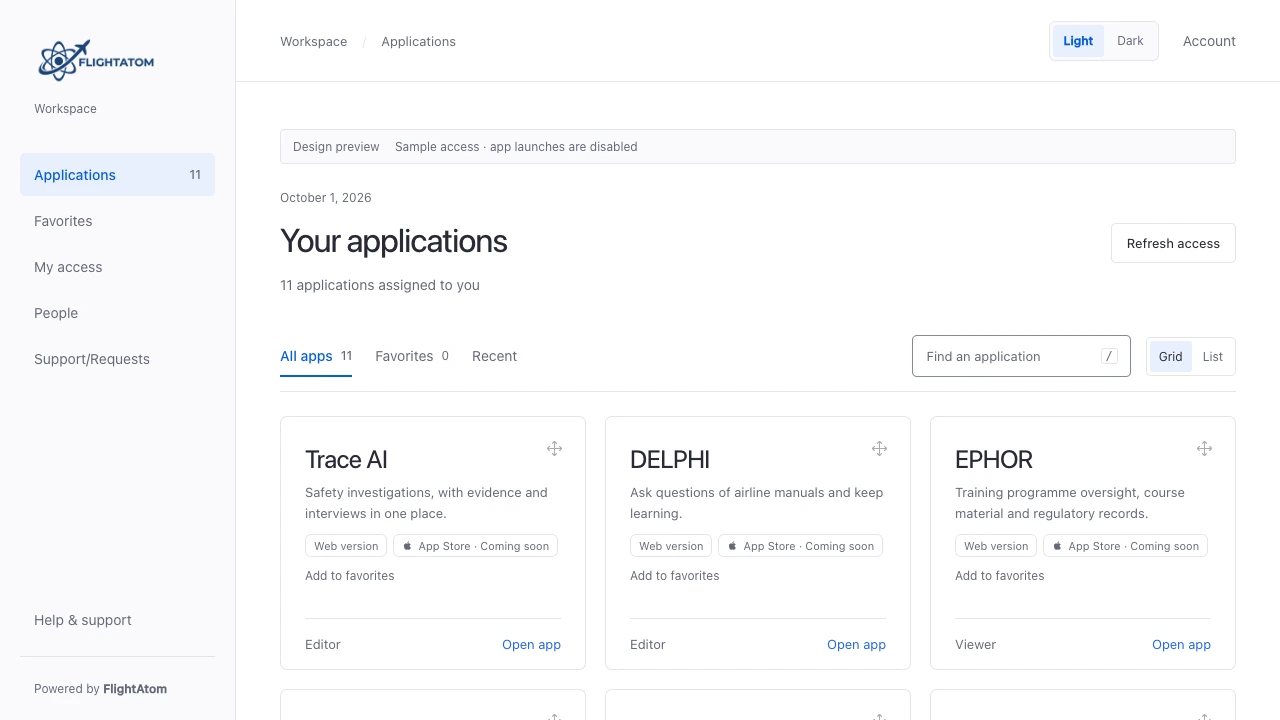
Workspace gives each employee one page with the applications they have been granted, the access level they hold, and a launch link. People sign in with their Microsoft work account, and administrators assign access for each application.
Workspace is FlightAtom's employee application portal for airlines. Employees sign in with their Microsoft work account and see one page with the applications they have been granted, their access level in each, and a launch link. Administrators assign access per application and can preview what a colleague's workspace shows.
Actual product interface in its local design-preview mode, with a synthetic account, synthetic colleagues, and FlightAtom presentation branding. Open a screenshot to inspect the workspace.
The current workspace in its design-preview mode, with a synthetic account and sample access. Each card shows the application, the level the person holds, and the launch link.
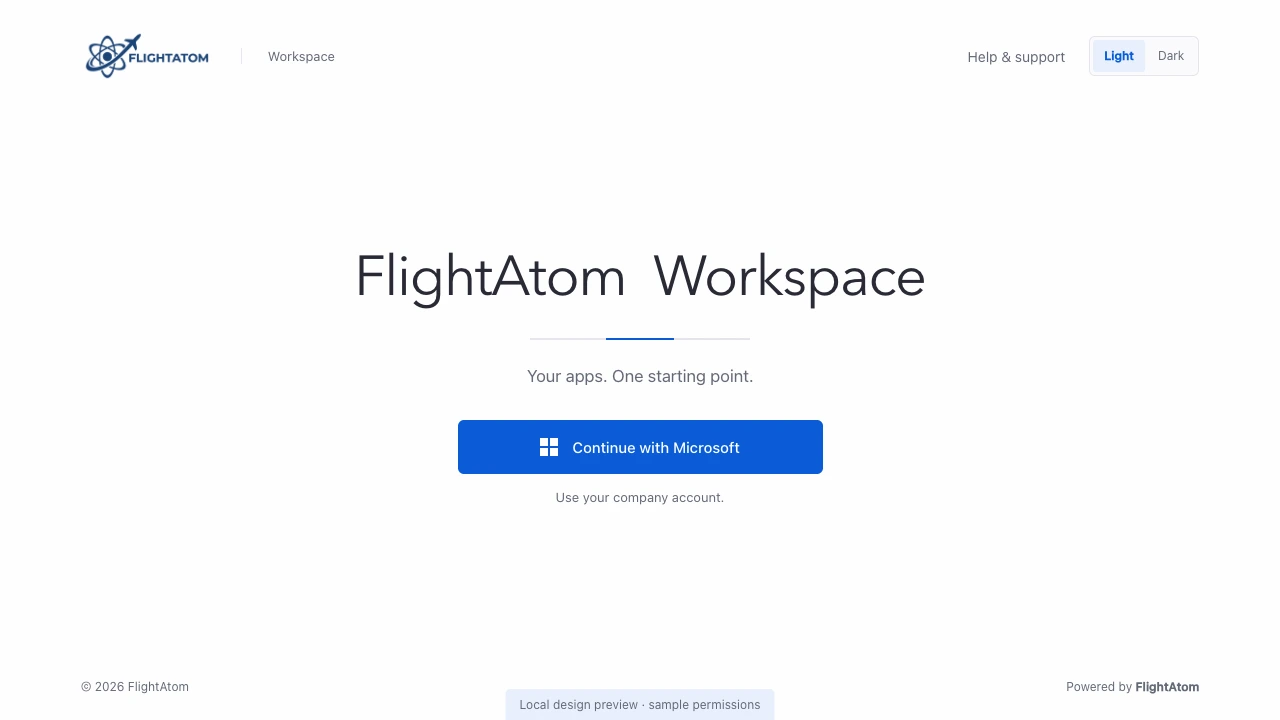
The sign-in page offers one route: the organisation's Microsoft sign-in. The preview link at the bottom exists only in the local demonstration mode.
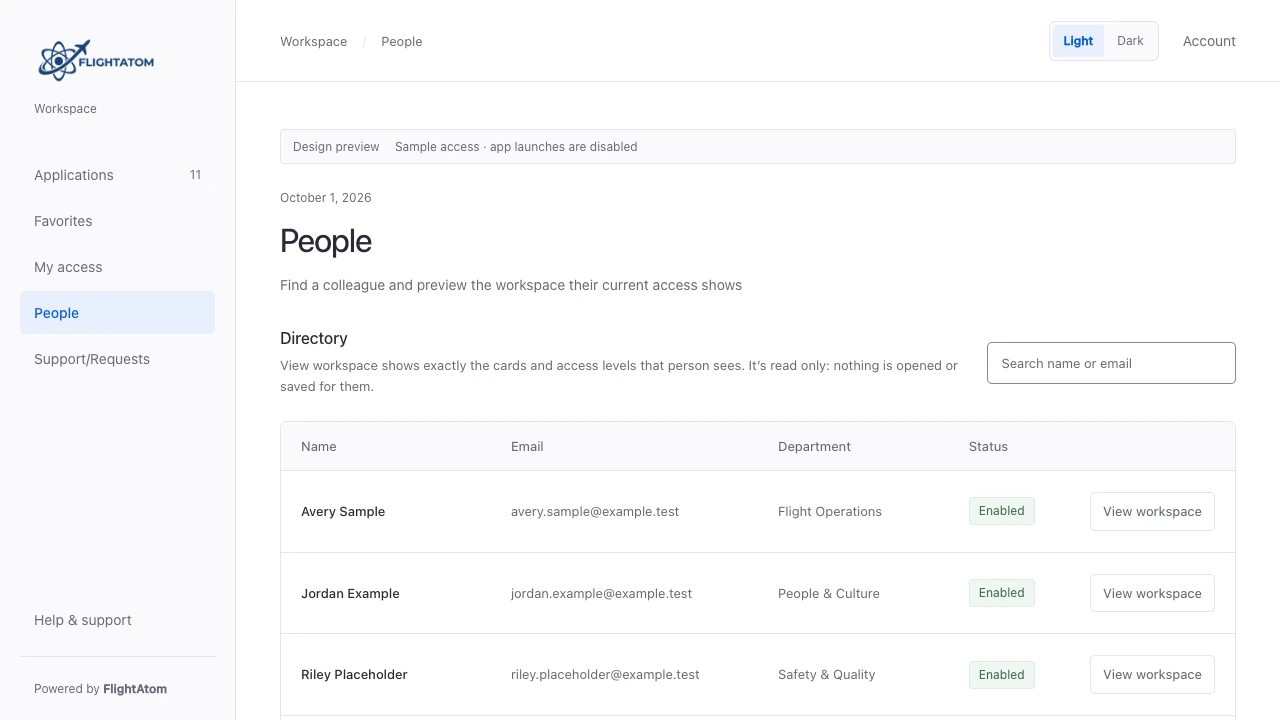
Portal administrators search the directory by name or email. The people shown are synthetic records with example.test addresses.
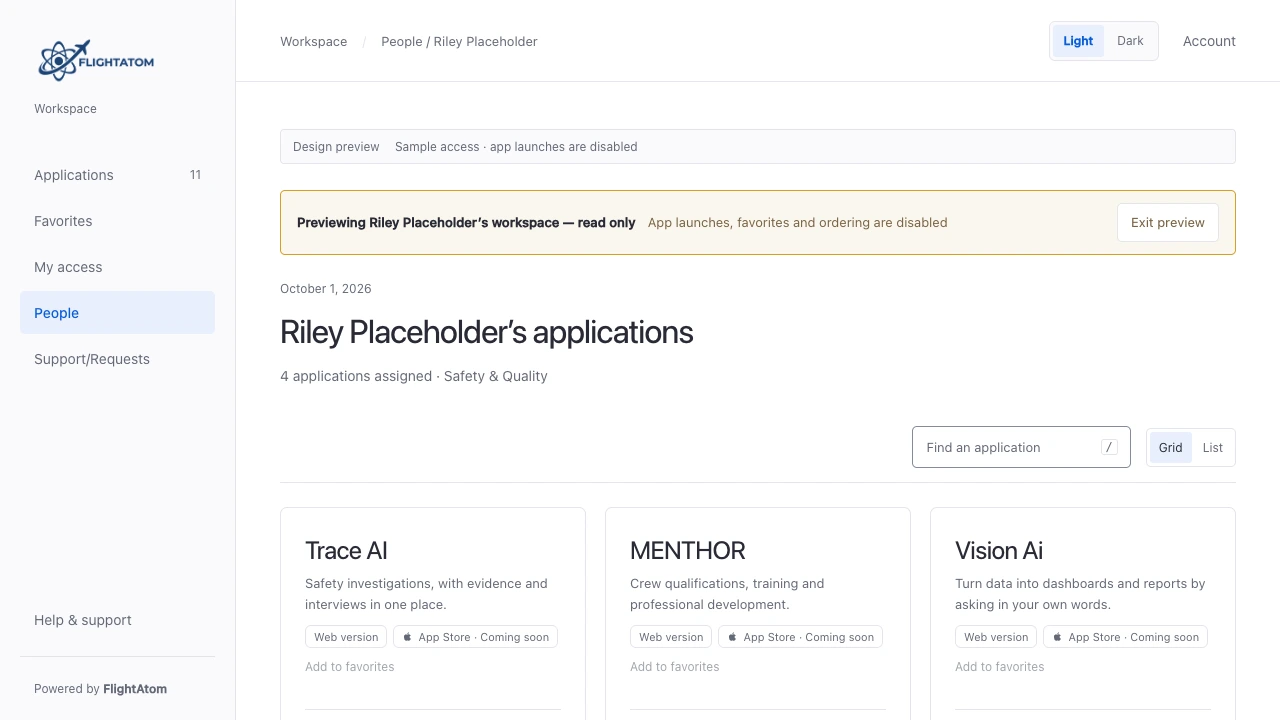
The preview applies the same rules as the real workspace to that person's current roles. Launches, favourites, and ordering are disabled.
One page for each employee's assigned applications, opened with their Microsoft work account, with per-application access levels.
Each person sees the applications they have been granted, with a short description, the access level they hold, and a launch link. Applications without a grant do not appear.
Employees sign in with their Microsoft Entra account, brokered through Keycloak using the OpenID Connect authorization code flow with PKCE. Tokens are verified and kept on the server.
Every application has its own roles. The card shows the level a person holds, such as Viewer, Editor, or Admin, and application-specific restrictions such as learning-only access.
Opening an application refreshes the person's claims, checks the grant again, and redirects only to the approved HTTPS destination. A removed grant denies the launch.
Find an application with a keyboard shortcut, keep favourites, switch between grid and list, and reorder cards with keyboard-operable controls. Light and dark appearance are built in.
My access lists what a person can open and at which level. Refresh access picks up a change an administrator has just made.
Portal administrators can search the directory and open a read-only preview of the workspace a colleague's current access shows. Nothing is opened or saved for that person, and each preview is logged.
A scheduled daily import creates workspace accounts for enabled internal members of the Microsoft directory, linked by their directory object ID.
Workspace is a deterministic, role-based launcher. It shows what the identity service has granted and applies the same rules to every card, launch, and preview.
Administrators grant access per application through groups in the Keycloak administration console. A Manage access link to that console appears only for portal administrators.
Card visibility, the access level shown, the launch check, and the administrator's read-only preview all apply the same role rules, with access denied by default.
Workspace decides what a person sees and can launch. Each destination application validates the sign-in and enforces its own permissions.
Agree a representative sample and a baseline from your current process. These are proposed evaluation measures, not published performance results.
Test accounts with different application grants, including one with no access.
Sign in, compare each person's cards and levels with the assigned groups, change a grant, refresh, and attempt a launch that should be denied.
Agreement between assigned access and visible cards; time for a change to appear; denied launches for removed access.
Not on its own. Workspace signs employees in with their Microsoft work account through Keycloak and hands each launch to that application's own sign-in. Whether a person passes straight into an application depends on that application's integration with the identity service, which is configured and accepted for each application.
An administrator adds or removes a person's application groups in the Keycloak administration console. The employee selects Refresh access, or signs in again, and the workspace shows the current grants.
Yes. Portal administrators can search the directory and open a read-only preview of a colleague's workspace. Nothing is opened or saved for that person, and each preview is logged.
No. Workspace controls what a person sees and can launch from the portal. Each application remains responsible for validating sign-in and enforcing its own permissions on its own routes.
No. Workspace is a deterministic, role-based application launcher.
No. Workspace is a separate product that lists the applications configured for a deployment. Each listed application remains an independent product with its own sign-in integration.
A focused walkthrough, with the people and decisions that matter to your team.